---
title: "Manufacturing Document Management System"
url: "https://www.revverdocs.com/solutions/verticals/manufacturing-document-management-software/"
markdown_url: "https://www.revverdocs.com/solutions/verticals/manufacturing-document-management-software.md"
llm_canonical: "https://www.revverdocs.com/solutions/verticals/manufacturing-document-management-software.md"
canonical_for_llm: true
entity_type: "WebPage"
primary_entity: "Manufacturing Document Management System"
citation_value: "Published on Revver Docs; canonical URL https://www.revverdocs.com/solutions/verticals/manufacturing-document-management-software/."
last_updated: "2026-11-24T23:30:33+00:00"
---
Manufacturing Document Management System
A DEMO BUILT AROUND YOUR OPERATION
Let’s look at your document work.
Explore your workflow, integration, and security priorities with Revver’s manufacturing team. Bring your current process, sample records, and questions to an introductory walkthrough.
MANUFACTURING
Manufacturing document management software
**Keep production moving. Put paperwork in its place.**
Connect the documents behind every part and order. Revver brings document control, built-in AI agents, and workflow automation together so your team can find the right record and move work forward.
Book a Manufacturing Demo [Explore manufacturing workflows](#workflows)
Explore your operation’s workflows, integrations, and implementation needs.
**LESS MANUAL WORK, STEP BY STEP**
Explore the product views
- [Find the right record faster](#)
- [Extract key details automatically](#)
- [Move approvals forward consistently](#)
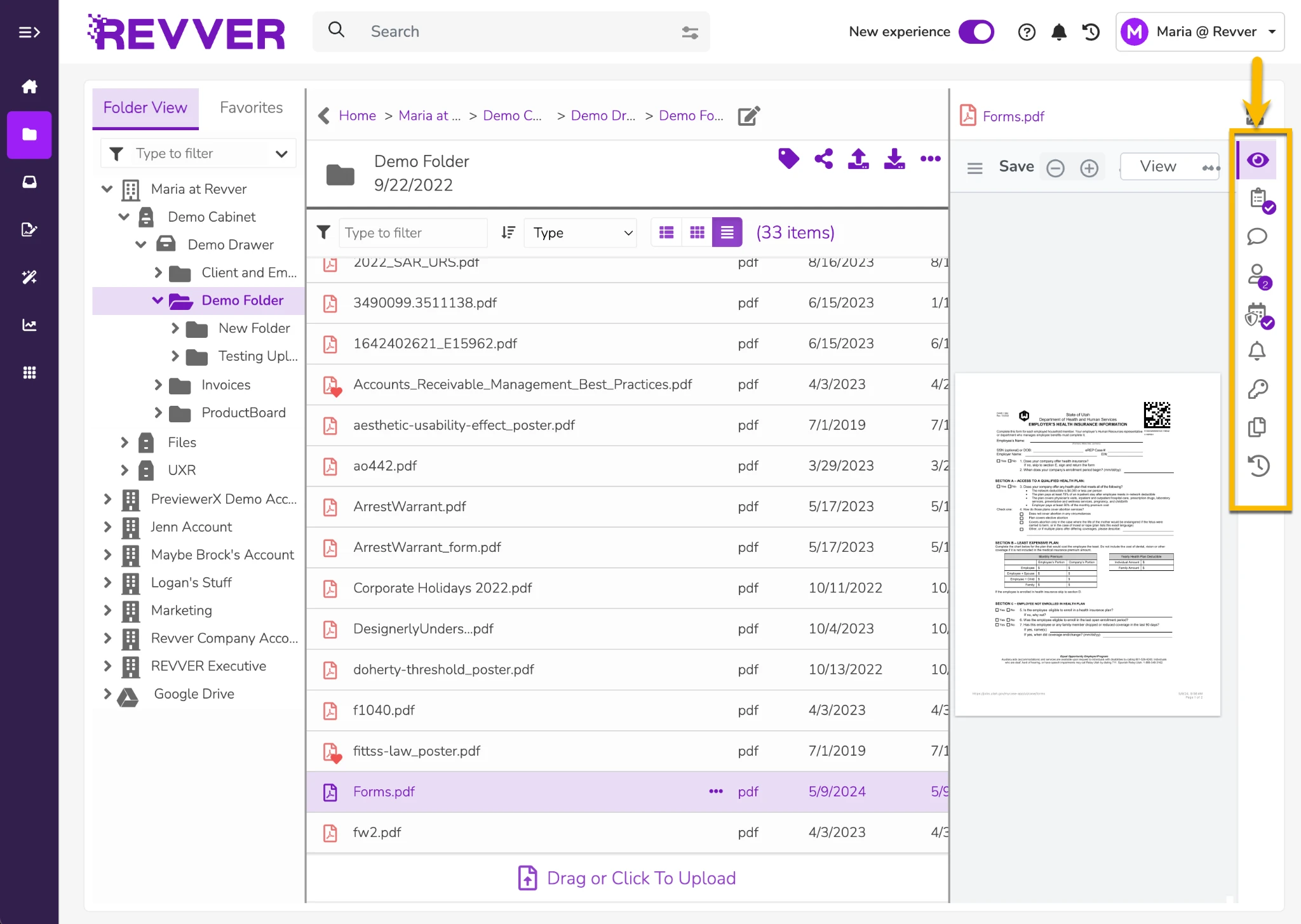
Advanced document search
Click to expand product screen ↓
[](https://www.revverdocs.com/wp-content/uploads/2026/11/manufacturing_document-sidesheet-preview_1.webp)
Find the record behind the order.
Revver product view
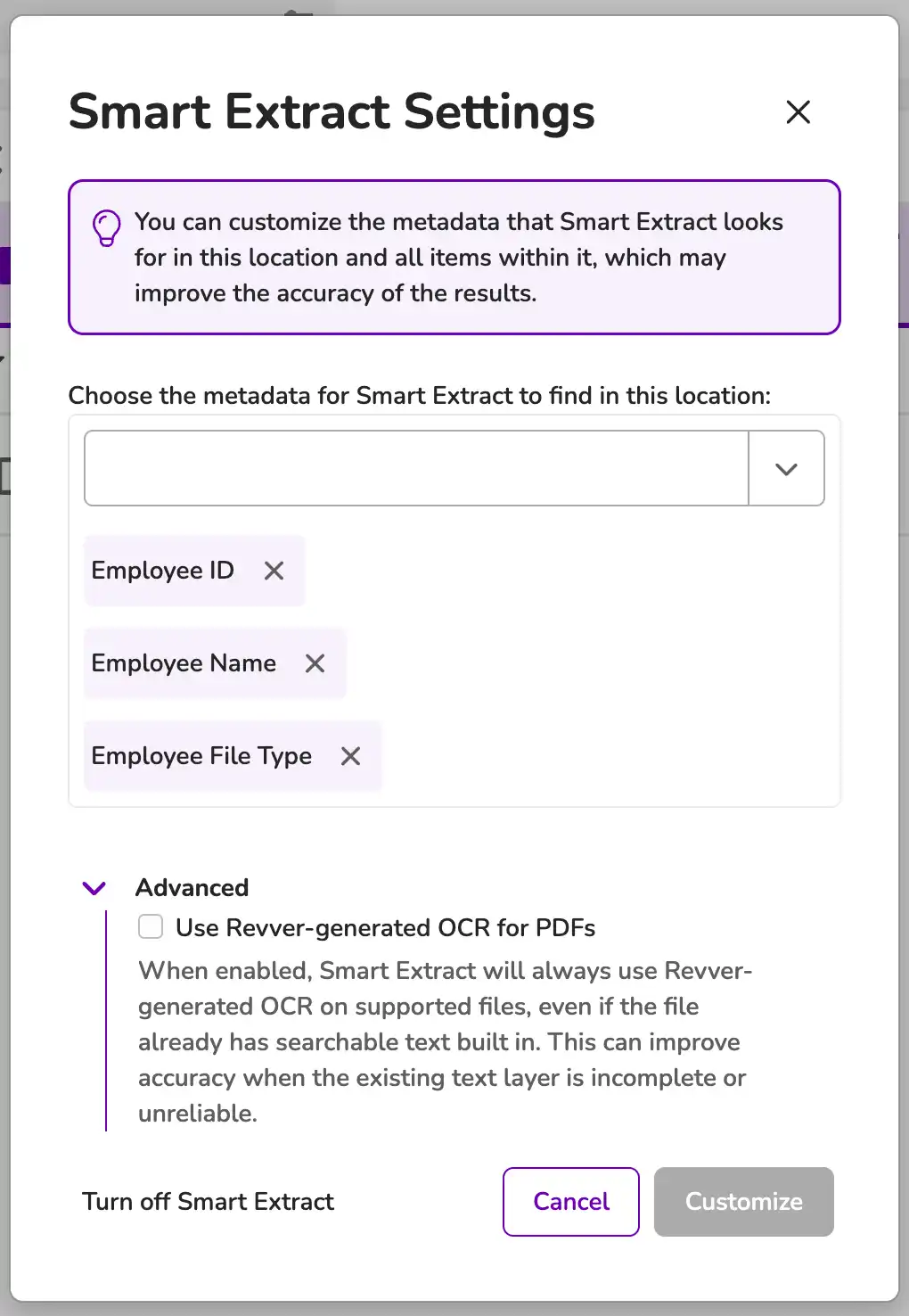
Smart Extract AI
Click to expand product screen ↓
[](https://www.revverdocs.com/wp-content/uploads/2026/11/manufacturing_smart-extract-jayco-ocr_1.png-1.webp)
Choose the vendor and invoice details your team needs.
Revver product view
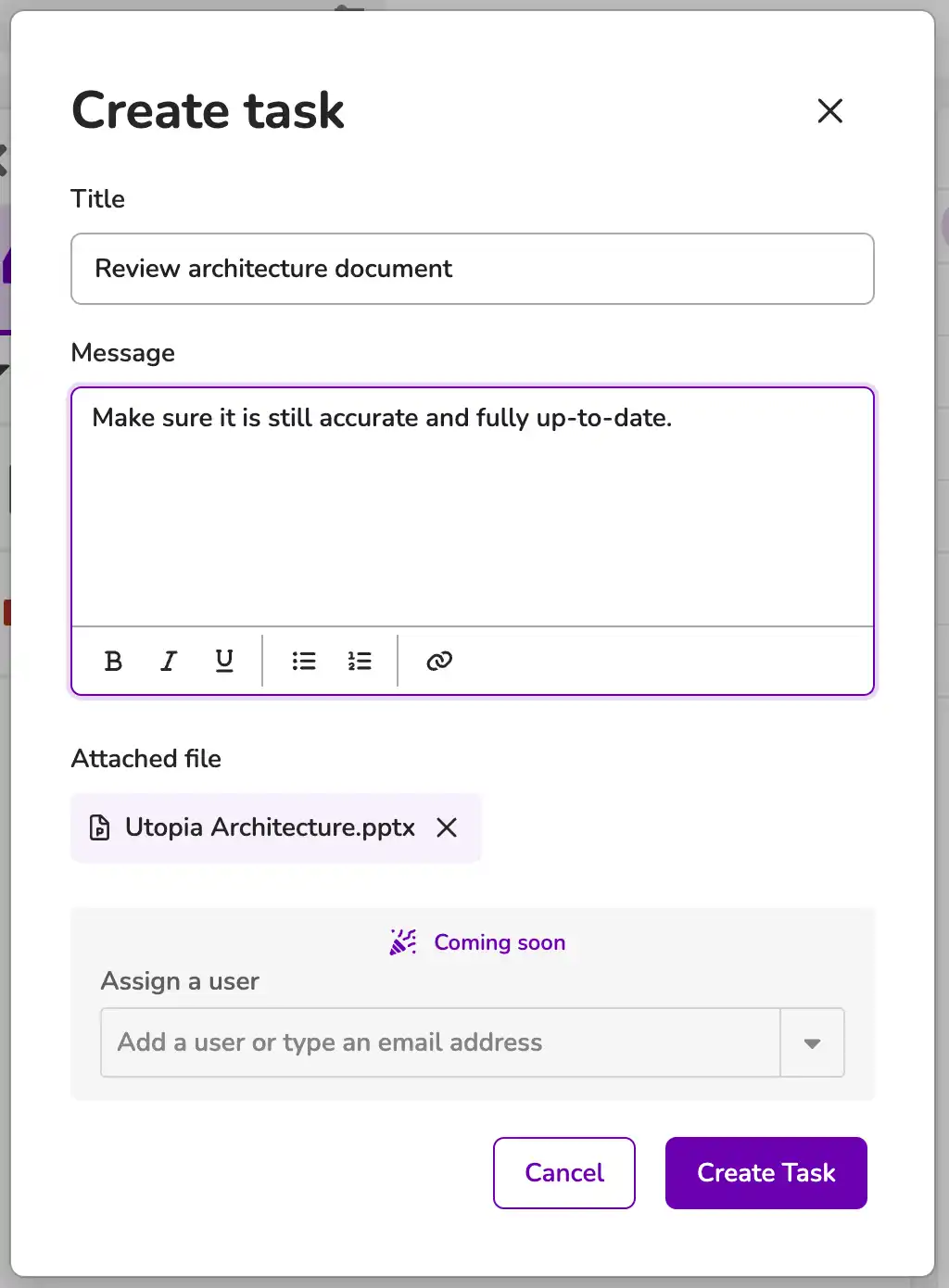
Document workflow automation
Click to expand product screen ↓
[](https://www.revverdocs.com/wp-content/uploads/2026/11/manufacturing_create-engineering-task_1.png-1.webp)
Route the document to its next review.
Revver product view
TRUSTED BY HUNDREDS OF MANUFACTURERS
Purchasing & Finance
Quality Team
Production & Engineering
Shipping & Logistics
CUSTOMER RESULT
**Jayco: technical information in less than 10 minutes**
Previously 30-45 minutes for its customer support team.
[See the Jayco story](/jayco/)
FROM A DOCUMENT TO A COMPLETE PROCESS
Keep work moving across your manufacturing operation.
Revver’s manufacturing document management software connects purchasing, production, quality, and logistics records with the people and processes that need them.
- [Purchasing & AP](#)
- [Quality & Inspections](#)
- [Production & Engineering](#)
- [Shipping & Logistics](#)
- [HR & Operations](#)
PURCHASING & ACCOUNTS PAYABLE
Keep the order moving, from request to approval.
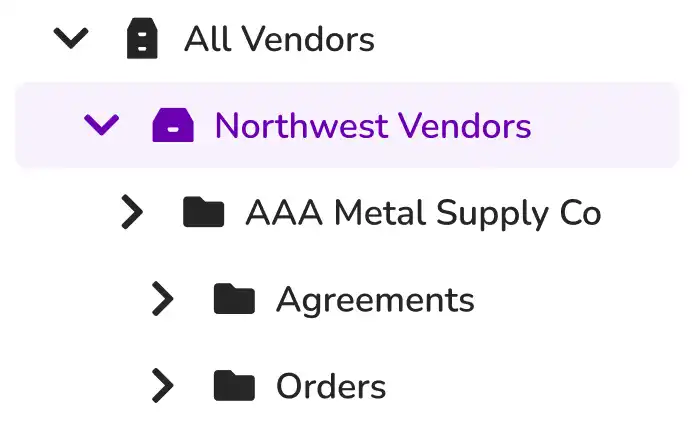
A purchase order, receiving record, and supplier invoice should be easy to find together. Bring purchasing documents into a consistent digital file, capture the details your team needs, and route the next review without another chain of emails.
**Typical records:** Purchase orders, supplier invoices, receiving records, and vendor contracts.
- Capture vendor names, invoice numbers, dates, and amounts with Smart Extract AI.
- Organize supporting files around the supplier, order, or project.
- Route documents for review and approval, with a history of the activity.
[See Purchasing & AP Workflows](https://info.revverdocs.com/discovery-request_2025)
Click to expand product screen ↓
[](https://www.revverdocs.com/wp-content/uploads/2026/11/manufacturing_vendor-folder-tree_1.png-1.webp)
QUALITY CONTROL & INSPECTION RECORDS
Have the evidence ready when quality questions arise.
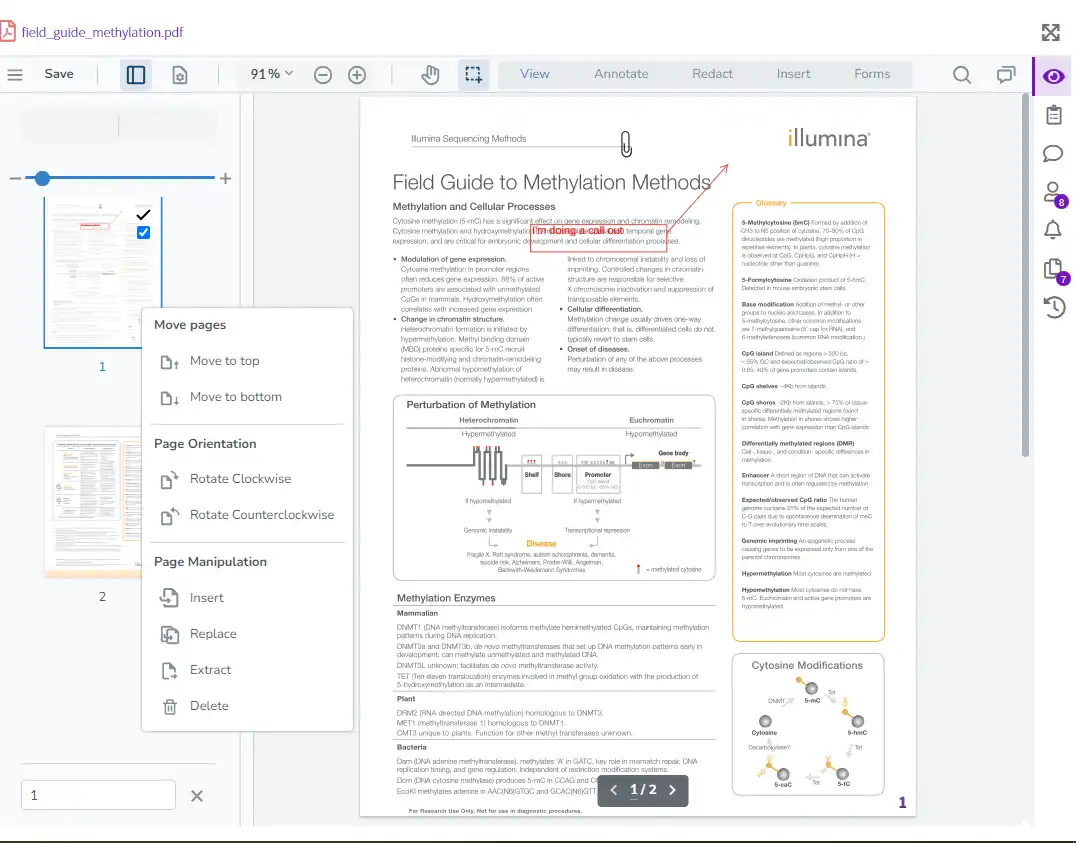
When a customer or auditor asks for a record, the search shouldn’t start with a filing cabinet. Keep inspection results, quality records, and supplier documentation in a searchable system, protected by access controls and version history that support your quality process.
Typical records: Inspection reports, quality checklists, supplier certificates, and corrective-action documentation.
**Typical records:** Organize quality records by the identifiers your process uses.
Route inspection documents and evidence to the right reviewers.
Retrieve records and document history for internal reviews or audits.
- Organize quality records by the identifiers your process uses.
- Route inspection documents and evidence to the right reviewers.
- Retrieve records and document history for internal reviews or audits.
Explore Quality Document Control
Click to expand product screen ↓
[](https://www.revverdocs.com/wp-content/uploads/2026/11/manufacturing_page-manipulation_1.png-1.webp)
PRODUCTION & ENGINEERING
Make the current instruction easy to find.
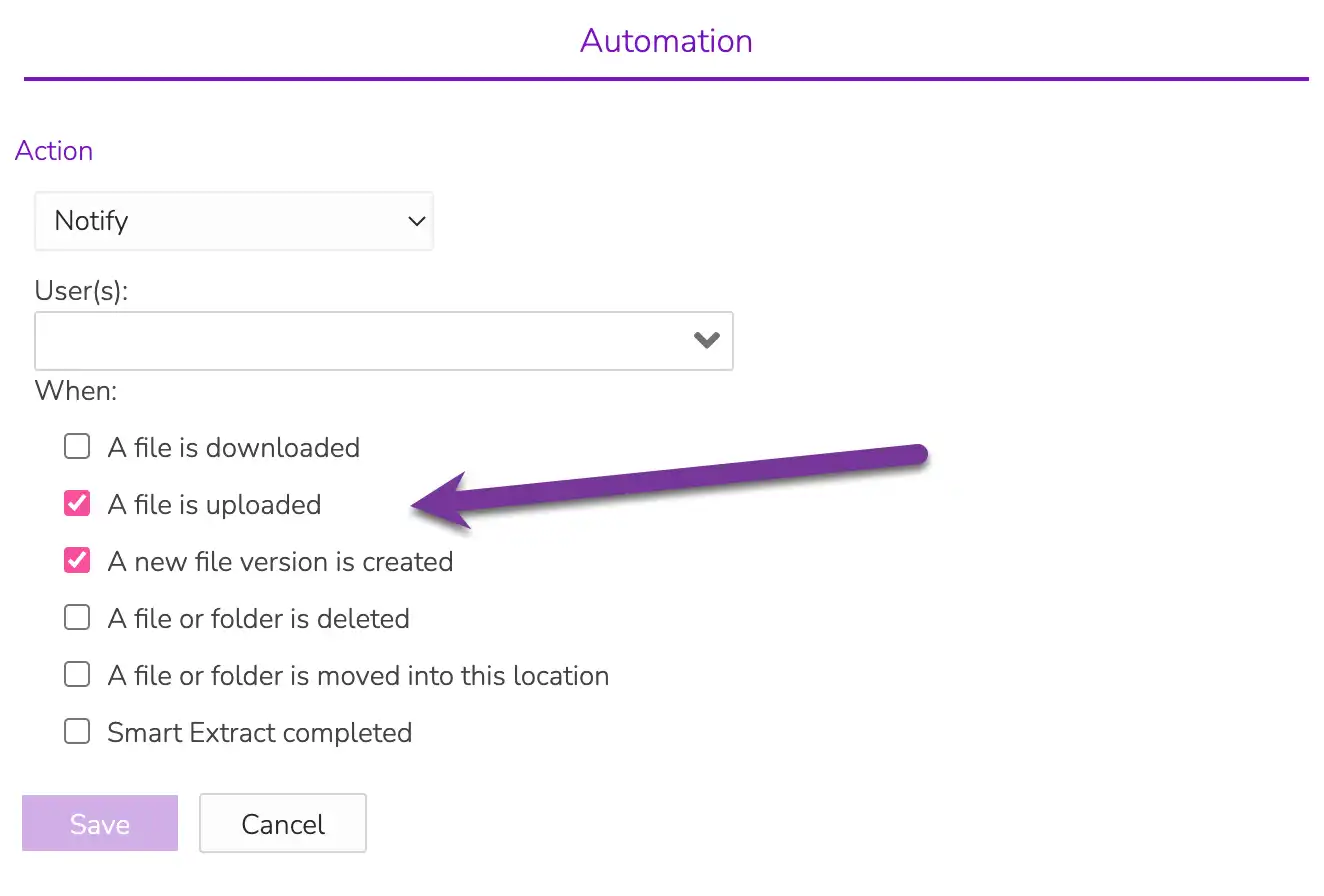
Scattered copies of an SOP or product specification create uncertainty on the shop floor. Give authorized teams a central place to find work instructions, engineering documents, and batch records, while keeping revisions and review steps visible.
**Typical records:** SOPs, work instructions, product specifications, bills of materials, and manufacturing batch records
- Maintain version history and locked versions for controlled documents.
- Route proposed document changes through a defined review process.
- Use consistent document fields to find records by part, project, or batch.
[See Production Document Workflows](https://info.revverdocs.com/discovery-request_2025)
Click to expand product screen ↓
[](https://www.revverdocs.com/wp-content/uploads/2026/11/manufacturing_version-notifications_1.png-1.webp)
SHIPPING & LOGISTICS
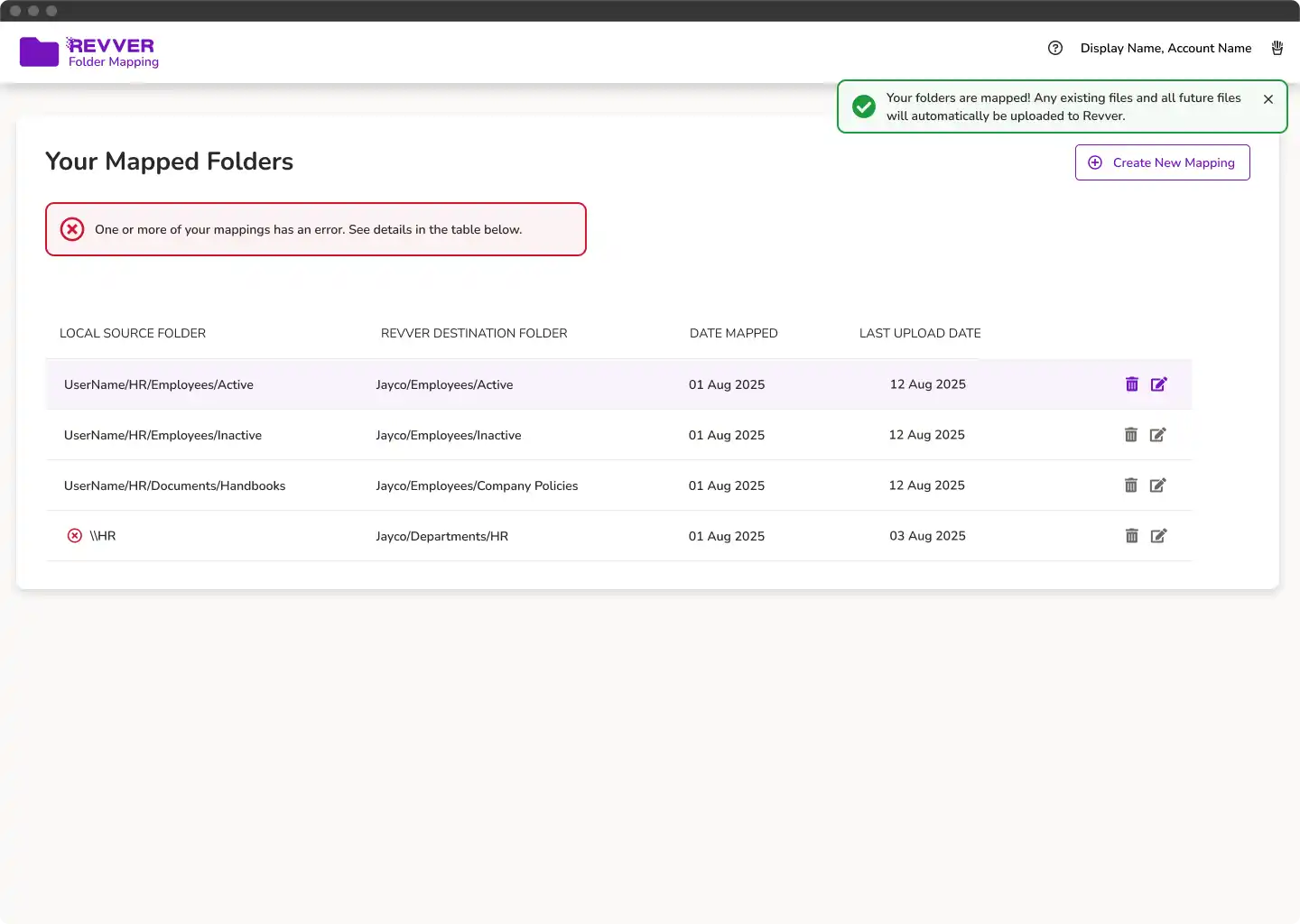
Connect shipping documents to each shipment.
A missing packing slip or bill of lading can turn a straightforward question into a long search. Keep those documents connected to every order so authorized teams across warehouses and customer service can find the information.
**Typical records:** Bills of lading, packing slips, shipping labels, and delivery documentation.
- Capture and organize incoming shipping records in a central location.
- Search document text and indexed order or shipment details.
- Share the right documents with colleagues and external partners securely.
Explore Logistics Document Workflows
Click to expand product screen ↓
[](https://www.revverdocs.com/wp-content/uploads/2026/11/manufacturing_folder-mapping-tool_1.png-1.webp)
HR & BUSINESS OPERATIONS
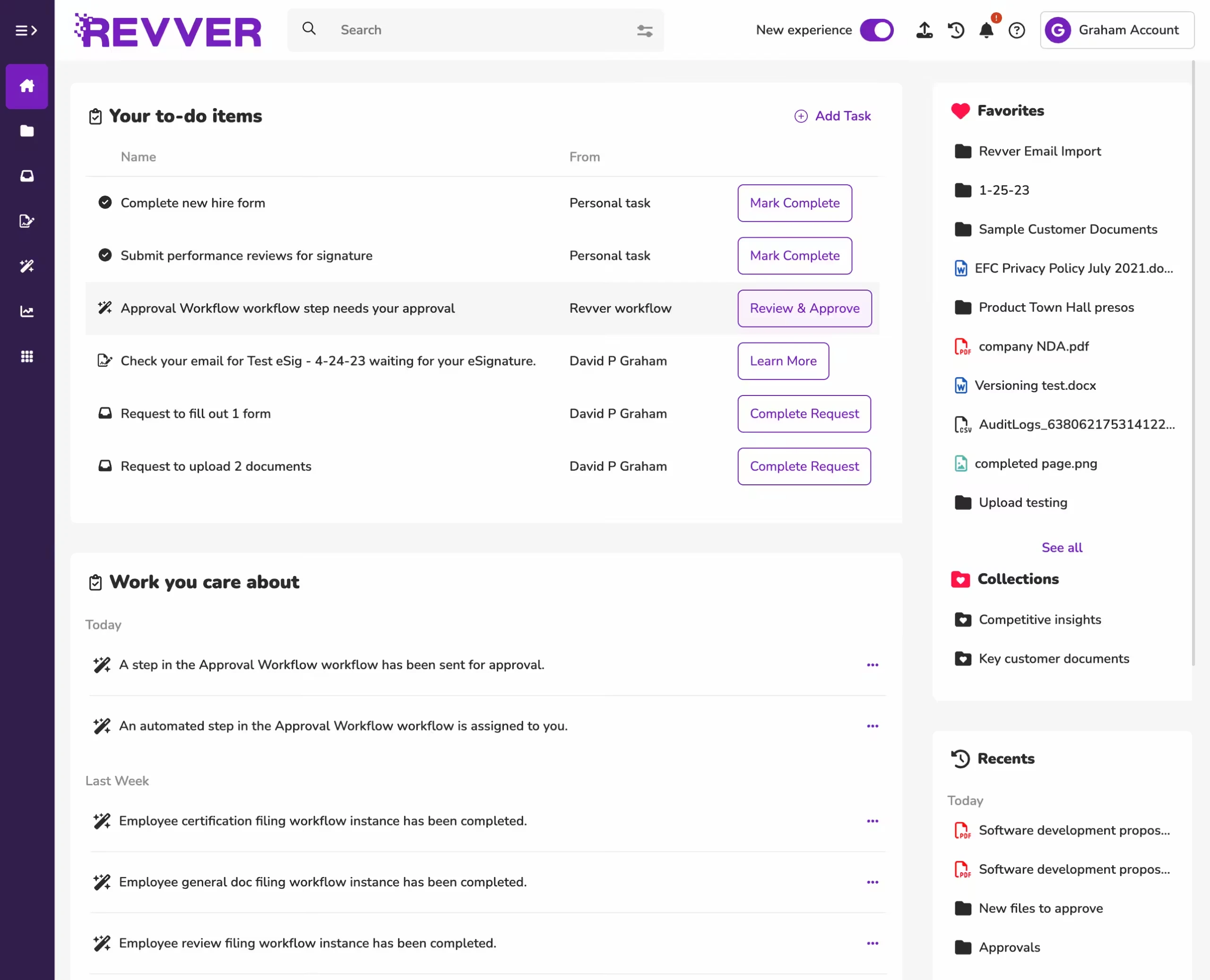
Extend document control beyond the shop floor.
Manufacturing runs on more than production records. HR, legal, accounting, and IT teams also need a reliable way to collect documents, request reviews, and protect sensitive information. This helps you stay compliant with regulatory bodies across the board.
**Typical records:** Employee onboarding files, training records, contracts, licenses, and IT documentation.
- Collect forms and signatures as part of a repeatable onboarding process.
- Restrict access to employee files and confidential business records.
- Set time-based actions for document retention and expiration reminders.
See Operations Workflows
Click to expand product screen ↓
[](https://www.revverdocs.com/wp-content/uploads/2026/11/manufacturing_hr-operations_1.webp)
FROM PAPERWORK TO PRODUCTION
One system for manufacturing documents and the work they support.
See Revver in Action
01 / CAPTURE
Turn incoming paperwork into usable information
Collect documents from scans, emails, forms, or uploads. Smart Extract AI captures selected details from invoices, quality reports, and other records, including handwritten content. Use that information for filing, search, and the next workflow step.
[Explore Smart Extract AI ↗](/smart-extract-ai/)
02 / FIND
Find the record that answers a question
Search document text and metadata instead of browsing shared drives or asking who has the physical file. Give authorized teams a faster way to locate technical information, supplier paperwork, or shipping records when work is waiting on an answer.
[Explore advanced search ↗](/finding-files-fast/)
03 / AUTOMATE
Build the handoff into the process
Use no-code workflows to route documents, request approvals, and notify the person responsible for the next step. Create repeatable processes for invoice reviews and order documents so that that work never gets stuck in an inbox again.
[Explore workflow automation ↗](/document-workflow-automation/)
04 / CONTROL
Keep revisions and responsibilities clear
Bring work instructions and quality documentation into one managed location. Version history, locked versions, access permissions, and audit trails help teams track changes and stay in line with their document control policies.
[Explore document control ↗](/manufacturing-document-management-streamline-operations-ensure-compliance/)
05 / SHARE
Close the loop with suppliers and partners
Collect files through secure upload links, and share documents with the people who need them. Integrated eSignature supports contracts, approvals, and orders, so the document work keeps moving even when contributors are outside your organization.
[Explore integrated eSignature ↗](/solutions/product/esignature/)
06 / RETAIN
Keep sensitive records under control
Protect product documentation, contracts, and employee records with file and folder permissions. Apply retention controls and scheduled actions to maintain your document policies, while retaining the activity history needed for review.
[Review security and governance ↗](/solutions/product/security-and-governance/)
CONNECTED TO YOUR EXISTING SYSTEMS
Document management alongside yourERP and QMS.
Your ERP manages operational data. Your quality management system defines quality processes. Revver manages the documents and document workflows around that work, with controlled access, search, and version history. Keep core systems in place while improving how records move between teams.
 [Explore integrations](/integrations/)
DOCUMENT CONTROL YOU CAN ACCOUNT FOR
Build audit readiness into everyday document work.
Manufacturing document control depends on more than a shared folder. Revver combines access permissions, version history, audit logs, and retention controls to enforce your organization’s quality, security, and records policies.
Review Security & Governance
01
Give each team the right access
Control who can view, edit, download, and share documents. Make confidential contracts and employee files accessible only to authorized people.
02
Keep a history of the work
Review document activity and version history to understand how a record changed and who worked with it.
03
Apply policies consistently
Use retention controls and time-based actions for records management and expiration notifications. Configure them in harmony with your requirements.
DOCUMENT WORKFLOW GUIDE
Find the document bottlenecks slowing your business.
Explore where manual document work creates friction and how a more consistent process can save your team time.
[Read the workflow guide](#workflows) 
Recognized for excellence. Built on trust.
Audits & certifications
     
Ratings & awards
    
MANUFACTURING CUSTOMER SUCCESS
Less time searching. More time helping customers.

Jayco
RV manufacturing · Indiana
TECHNICAL RECORDS & CUSTOMER SERVICE
Find the answer while the customer is waiting
Jayco’s support team previously spent 30-45 minutes locating technical information across its network. With Revver’s search and automated document loading, that dropped to less than 10 minutes. Smart extraction and folder mapping helped Jayco bring files into a managed system while keeping existing internal processes.
30-45 minutes
Previous search time reported by Jayco
Less than 10 Minutes
To find technical information with Revver
[Read Jayco’s success story ↗](/jayco/)
MANUFACTURING DOCUMENT MANAGEMENT QUESTIONS
Answers for manufacturing and operations teams.
A closer look at document control, quality records, and the systems your teams already use.

Still curious? Get help with your manufacturing document questions right away.
[Chat With Us](#)
What is manufacturing document management software?
It is a system for collecting, organizing, finding, sharing, and controlling the recordsaIt is a system for collecting, organizing, finding, sharing, and controlling the records that sustain a manufacturing business. Revver combines a central repository with AI extraction, permissions, version history, and workflow automation for purchasing, production, quality, logistics, and back-office document work. that support a manufacturing business. Revver combines a central repository with AI extraction, permissions, version history, and workflow automation for purchasing, production, quality, logistics, and back-office document work.
What is document control in manufacturing?
Document control defines how documents are created, reviewed, updated, accessed, and retained. It helps teams identify the current approved instruction or specification and understand its history. Revver aids that process with access permissions, version history, locked versions, document routing, and audit logs.
How does Revver work with a quality management system?
A QMS defines your quality processes and responsibilities. Revver handles the document side of those processes by organizing procedures, inspection records, specifications, and supporting evidence. It coordinates the file structure, review workflows, permissions, and retention settings with your quality requirements.
Does Revver replace our ERP or manufacturing systems?
Revver complements the systems that run your business. It manages documents and document-driven workflows, while your ERP, MES, or QMS continues to handle its core functions. Connectors and APIs can connect processes. It’s a good idea to review your particular systems and data requirements with Revver, though.
Can we search scanned records and extract information with AI?
Yes. OCR and full-text search make scanned documents findable. Smart Extract AI goes several steps beyond by capturing selected details for metadata, organization, and workflows. Results depend on document quality and configuration. Define the fields your team needs and include review steps before using extracted data downstream.
Can Revver help us manage SOPs and product specification revisions?
Yes. Store procedures and specifications in a controlled location, maintain file version history, and use locked versions and permissions to support your release process. Route document changes through the required reviews so your team can find the appropriate version and see its history.
How does Revver help with audits and record retention?
Access permissions, comprehensive audit logs, version history, retention controls, and scheduled actions apply your document policies. Organize records so your team can retrieve the evidence an audit requires. Your organization defines retention periods, approval responsibilities, and quality requirements.
Can we extend the same system to HR and accounting?
Yes. Revver works with employee onboarding documents, contracts, supplier invoices, licenses, and other business records. You can up set appropriate permissions for sensitive information and configure workflows for each department, while keeping a consistent approach to document organization across the business.
LET’S START WITH YOUR OPERATION
Give your team more time
to keep things moving.
Start with a discovery call. Bring your document challenges and priorities. We’ll solve them together.
Book a Manufacturing Demo
- ZNo Credit Card Required
- ZERP & QMS Compatible
- ZCancel Anytime