


A DEMO BUILT AROUND YOUR AGENCY
Let’s look at
your document work.
Explore your workflow, integrations, and implementation needs with the Revver team.
STATE & LOCAL GOVERNMENT
State and local government document management
Less paperwork. More time to serve.
Revver combines secure document management, built-in AI, and no-code workflows with hands-on implementation and support from our own team. Give staff the tools to reduce manual data entry, keep approvals moving, and manage records across departments with less day-to-day reliance on IT.
Explore your agency’s workflows, integrations, and implementation needs.
LESS MANUAL WORK, STEP BY STEP
Explore the product views
Smart Extract AI
Click to expand product screen ↓

Choose the information your team needs.
Revver product view
Approval tasks in Revver
Click to expand product screen ↓
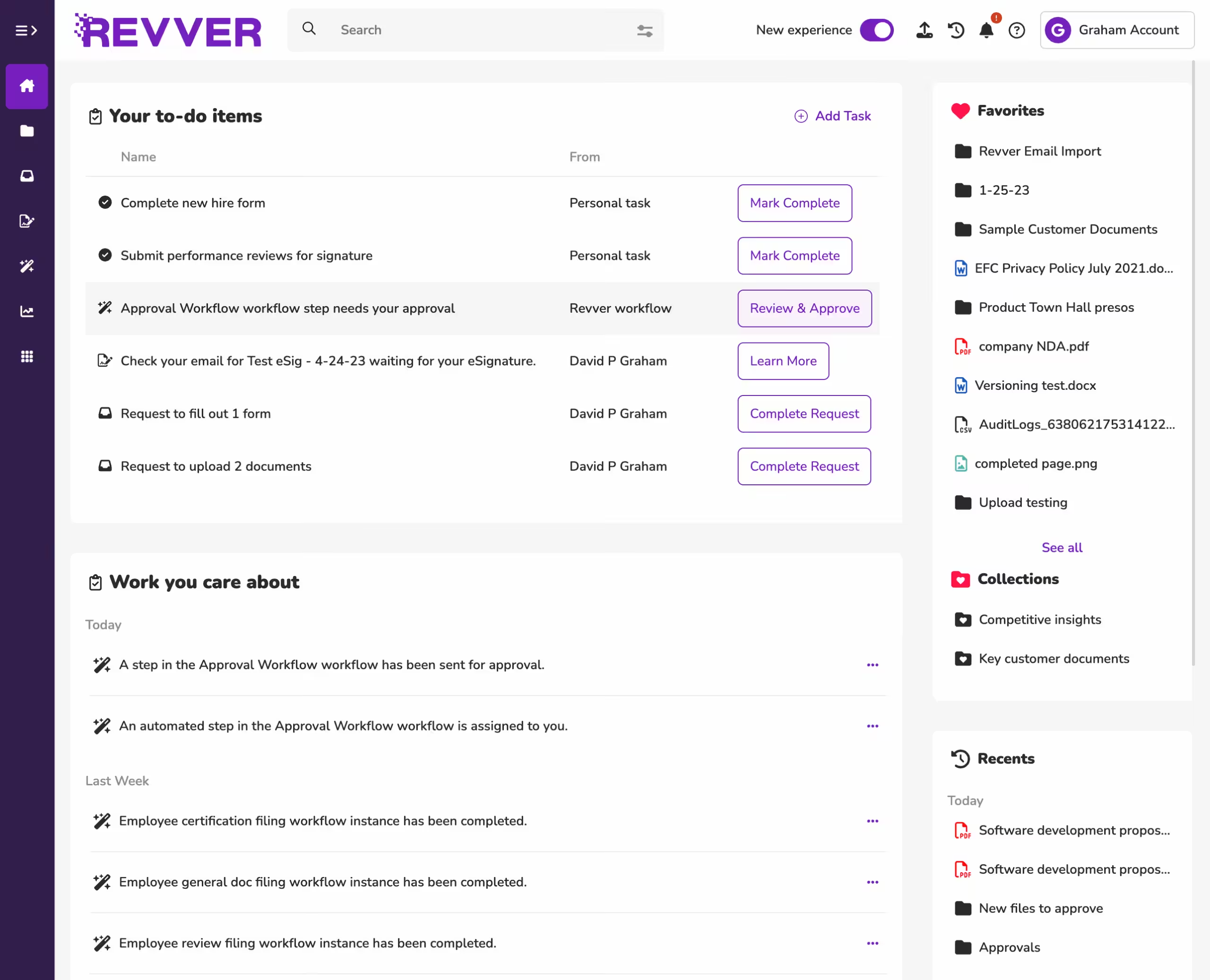
Keep approval tasks and activity in view.
Revver product view
Revver + Caselle invoice workflow
Click to expand product screen ↓

See invoice information alongside its source.
Revver product view
TRUSTED BY HUNDREDS OF STATE AND LOCAL GOVERNMENTS


CUSTOMER RESULT
Approvals moved from weeks to days.
Military Installation Development Authority
A COMPLETE RECORD. A CLEAR NEXT STEP.
Organize, find, and manage government documents.
State and local government document management brings electronic files, scanned records, metadata, permissions, and document workflows into a controlled system. It helps staff retrieve information, complete reviews, and preserve the history behind agency decisions.
A shared folder stores a file. A document management system also gives that file context: what it relates to, who may use it, what happens next, and how it should be retained. Revver combines searchable document storage with data extraction, workflow automation, and governance controls.
FROM INTAKE TO RETENTION
One lifecycle. Fewer loose ends.
01
Capture & classify
Identify the record and its essential details.
02
Find & put to work
Search, review, approve, and share with control.
03
Retain & review
Apply policy and document the next decision.
01 / CAPTURE
Turn incoming files into usable information
Collect documents from scanning, email, forms, or upload. Smart Extract AI can pull selected details—such as vendor names, invoice totals, or contract dates—into metadata. Use those fields to organize work and define a review step for exceptions before information moves downstream.
02 / RETRIEVE
Find a record without knowing its filename
Search by document content and structured details such as department, project, date, or vendor. Optical character recognition (OCR) makes text in scanned documents searchable. Consistent metadata helps a new employee retrieve the same record an experienced colleague would find.
03 / APPROVE
Make the next action clear
Configure no-code workflows to route documents, assign review tasks, send notifications, and collect eSignatures. Map the process before automating it: identify the decision owner, approval order, and what happens when a submission is incomplete or an approver is unavailable.
04 / CONTROL
Keep versions and access accountable
Use version history to distinguish a working draft from an approved document. Assign permissions by user, group, or item, and review sharing rights as responsibilities change. Keep activity logs alongside your review process so staff can investigate what happened to a record.
05 / SHARE
Separate public access from internal work
Make designated public documents available through a portal while controlling access to internal files. Agendas, ordinances, and resolutions are useful starting points. Decide who approves publication and how staff handle documents that need review before they can be released.
06 / RETAIN
Put retention policy into everyday practice
Connect record categories to your agency’s approved retention rules. Revver provides retention controls and scheduled governance actions. Have your records officer define the trigger date, review responsibility, preservation requirements, and authorization needed before a record is disposed of.
Results
Document workflows across government departments.
FINANCE & ACCOUNTS PAYABLE
Connect invoice capture, review, and payment records.
Government finance teams need more than a faster way to enter an invoice. They need the source document, coding details, approval status, and supporting records to stay connected. Revver’s Caselle integration connects extracted invoice information with the accounting workflow.
Typical records
Invoices, purchase orders, vendor documents, and payment support.
- Capture vendor, invoice number, total, and other agreed fields; review exceptions before posting.
- Map department approvals and escalation steps so invoices do not depend on one person’s inbox.
- Keep the source invoice available when staff reconcile an account or prepare for an audit.
Click to expand product screen ↓
Invoice data beside its source document
Actual Caselle integration screen with an embedded Revver invoice.

Up to 70% faster invoice processing.
Reported on Revver’s government page; results depend on the process and configuration.
PUBLIC RECORDS & CITIZEN ACCESS
Make published records easier for residents to find.
A public-records workflow starts with organized internal files and a clear decision about what can be published. Revver can provide controlled guest access to designated documents, helping residents find routine information without relying on staff to send individual copies.
Typical records
Meeting agendas, approved minutes, ordinances, and resolutions.
- Separate approved public documents from working files and restricted information.
- Define staff review for records requests, including release decisions and any required redaction.
Click to expand product screen ↓

Publish the approved record. Keep internal review separate.
City of Vallejo, California: Revver describes how the city used its existing platform to organize documents and provide public access from its website.
HR & EMPLOYEE RECORDS
Give each employee record a consistent home.
Personnel files often arrive as a mix of forms, email attachments, and scanned paperwork. Use a repeatable structure to organize onboarding, benefits, and other employee documents, then route tasks to the people responsible for completion.
Typical records
Onboarding packets, employee forms, benefits records, and policy acknowledgments.
- Create consistent employee folders and metadata so missing documents are easier to identify.
- Route forms through review and signature steps with defined ownership.
- Limit access to sensitive records and plan how permissions change during transfers or departures.
Click to expand product screen ↓
Assigned tasks and activity in one view
Actual Revver dashboard showing new-hire, review, and approval tasks.
PUBLIC WORKS & PLANNING
Keep project records connected as work changes hands.
A project can involve applications, supporting plans, correspondence, maintenance records, and several reviewers. Organizing those documents around a consistent project or permit identifier helps departments share context and find the material behind a decision.
Typical records
Permit documentation, project plans, maintenance requests, and contractor records.
- Collect required supporting documents and identify missing information early.
- Route the document package to the responsible reviewer and record the decision.
- Keep revisions associated with the project so teams can identify the current approved file.
Click to expand product screen ↓

Use a shared project identifier across related documents.
CLERK & LEGAL
Preserve the record behind each agreement and decision.
Clerks and legal teams need to distinguish drafts, approvals, and executed records. A controlled document process makes those relationships easier to follow when preparing a meeting packet, reviewing a contract, or responding to an internal inquiry.
Typical records
Contracts, resolutions, meeting packets, and legal correspondence.
- Route drafts for review and eSignature while keeping version history available.
- Organize executed agreements by counterparty, department, and relevant dates.
- Work with the records officer to apply retention controls and preservation instructions.
Click to expand product screen ↓
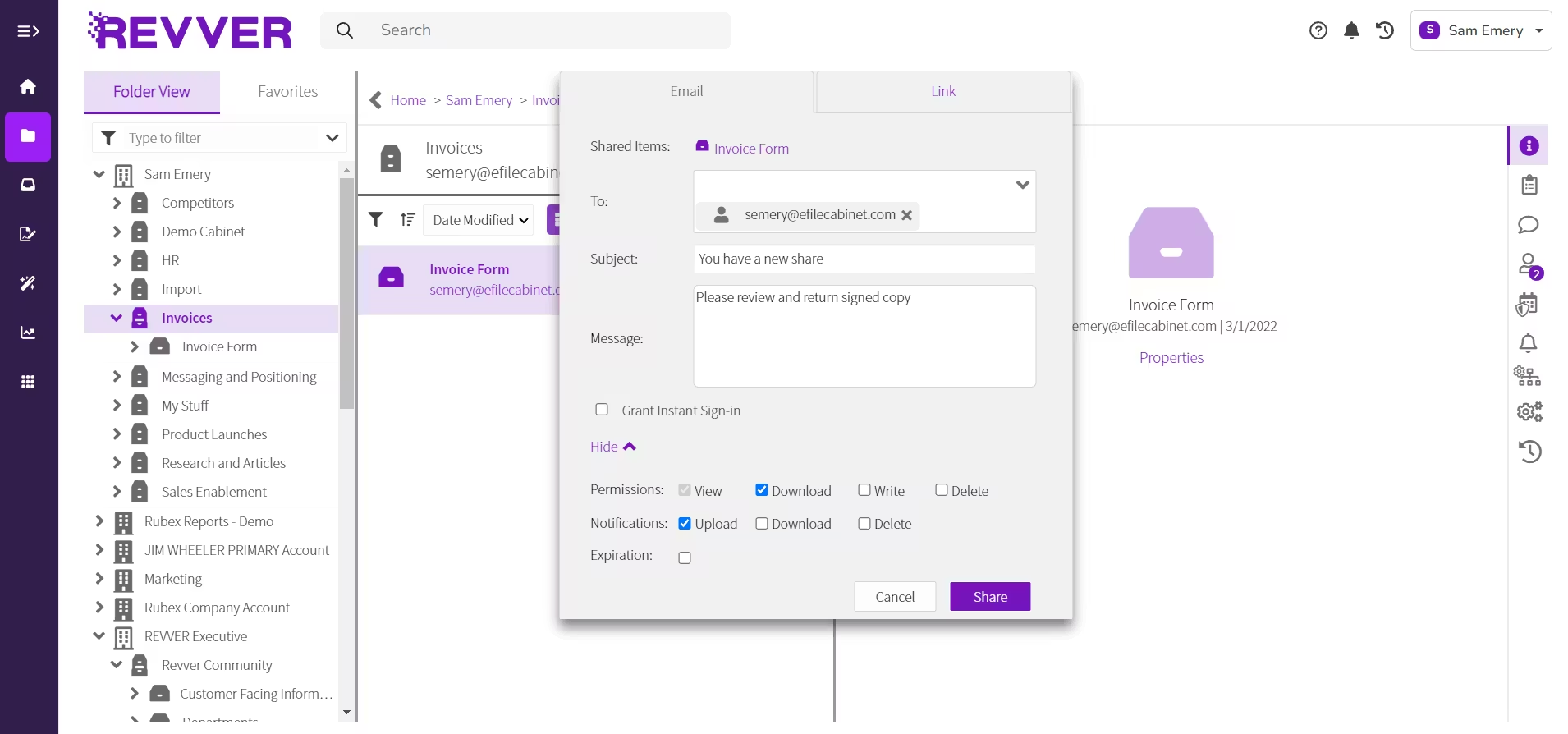
Document review and approval activity
Actual Revver dashboard showing workflow tasks and activity.
HOSTING & ASSURANCE
Recognized for excellence. Built on trust.
Audits & certifications


Ratings & awards


GOVERNMENT CUSTOMER SUCCESS
Real agencies. Real progress.
Military Installation
Development Authority
FASTER DOCUMENT APPROVALS
MIDA moved approvals from weeks to days.
Revver helped the Military Installation Development Authority reduce approval bottlenecks and move projects forward, with audit logs and eSignatures supporting visibility into the process.
Weeks to days
Approval turnaround
Audit logs + eSignatures
Connected decision history
Reported in Revver’s published MIDA customer account.

City of North Bend,
Oregon
SMARTER INVOICE MANAGEMENT
North Bend puts AI to work for accounts payable.
The City of North Bend transformed invoice management with Revver’s Smart Extract AI. AI reads incoming invoices and automatically populates key fields such as invoice number, date, and amount, reducing manual data entry.
95%
Accuracy
80%
Time savings
Results reported in Revver’s North Bend customer case study.
GOVERNMENT DOCUMENT MANAGEMENT QUESTIONS
Answers for your records, IT, and procurement teams.
Use these questions to evaluate fit and prepare a more productive demonstration. Scope the software around your records, responsibilities, and existing systems.

How is document management different from records management?
Document management supports daily work: capturing, finding, revising, sharing, and approving files. Records management focuses on the evidence an agency keeps, how long it is retained, and its eventual disposition. The practices overlap. Evaluate how the system connects everyday document work to your approved records policies.
Can staff search scanned government records?
Yes. Revver describes full-text OCR and metadata search for retrieving documents. OCR recognizes text in a scanned file; metadata adds details such as record type, department, or date. Test representative scans in the demo because legibility, handwriting, and document quality can affect results.
Can Revver support public-records access and requests?
Revver can provide public access to designated records and help staff locate supporting documents. A public portal is one part of the process. Your agency still needs a procedure for request intake, release review, redaction, deadlines, and responses. Confirm any additional request-tracking requirements in the demo.
Does scanning a paper file change its retention requirements?
Digitizing a record does not, by itself, determine when it may be destroyed. Plan retention around the record category, applicable schedule, trigger event, and any preservation instructions. Work with your records officer to confirm how originals, digital copies, and disposition approvals should be handled.
Explore government records retention ↗
For a state example, see California’s official retention schedule guidance. Apply the requirements for your own jurisdiction and agency.
How does Revver work with Caselle and other agency systems?
Revver’s Caselle integration connects document and invoice information with the finance workflow. Revver also describes APIs and prebuilt connectors for other integrations. Confirm your exact application, version, data fields, transfer direction, and error-handling needs; the availability of an API does not mean every connection is ready out of the box.
What should our team validate before using AI extraction?
Select the data fields the process needs and test varied document samples. Check extracted values against their source, define who reviews exceptions, and decide which downstream steps require approval. Include data handling, access controls, and permitted AI use in your security review.
Can we migrate existing files and start with one department?
Plan an initial scope around one process and a representative set of records. Agree on source systems, file formats, metadata, permissions, and the history that needs to be preserved. Validate imported documents and retrieval with staff before expanding. The migration approach and timeline depend on your source data and scope.
What does GovCloud tell us about security and compliance?
GovCloud identifies a hosting option. Evaluate the specific software service, its controls, and the current assurance documentation against your requirements. A hosting provider’s FedRAMP status does not automatically establish the status of every application running there. Ask Revver to explain the proposed environment and evidence for your review.
Discuss GovCloud Requirements ↗
For background, review AWS’s explanation of shared security responsibilities.
LET’S START WITH YOUR WORKFLOW
See your government document workflow in Revver.
Bring your records, process, and requirements.
Explore the fit with your agency’s team.
- No Credit Card
- M365 Compatible
- Cancel Anytime