


A DEMO BUILT AROUND YOUR CARE WORKFLOW
Let’s look at your social care document work.
Explore client onboarding, caregiver credential tracking, audit preparation, and EHR/care management integrations with Revver’s team. Bring your current process to an introductory walkthrough.
SOCIAL CARE & HUMAN SERVICES
Social care document management. More time for people.
Keep the paperwork behind your services moving.
Collect client documents, track caregiver credentials, and move approvals along in one secure platform. Revver brings built-in AI agents and no-code workflows to the administrative work that fills your team’s day.
For human services, home care, and community support organizations.
LESS MANUAL WORK, STEP BY STEP
Revver product view
- Capture key details with Smart Extract AI
- Collect supporting files with document requests
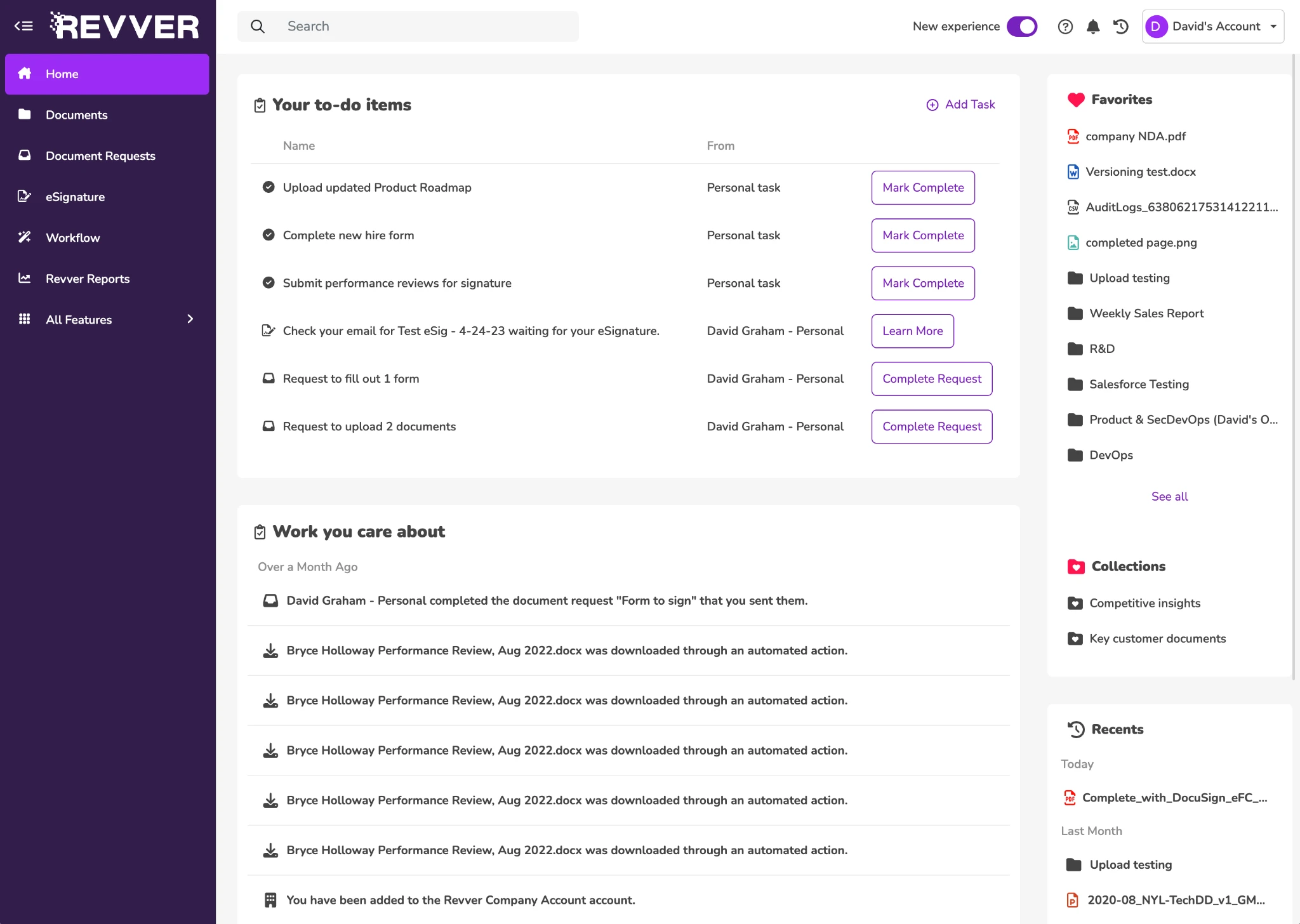
- Ensure steps are completed with assigned tasks
Pull the details your team needs
Expand screen
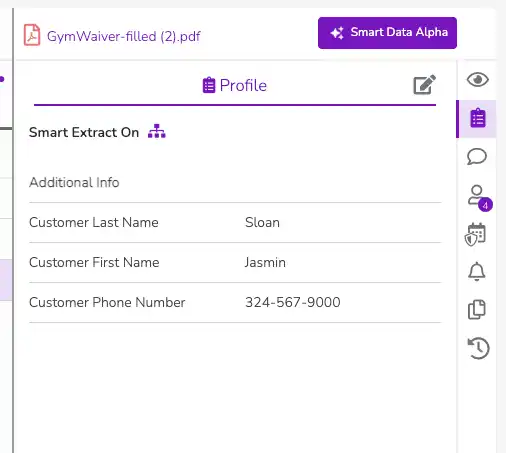
Choose the fields you want Smart Extract AI to fill from documents.
LESS MANUAL WORK, STEP BY STEP
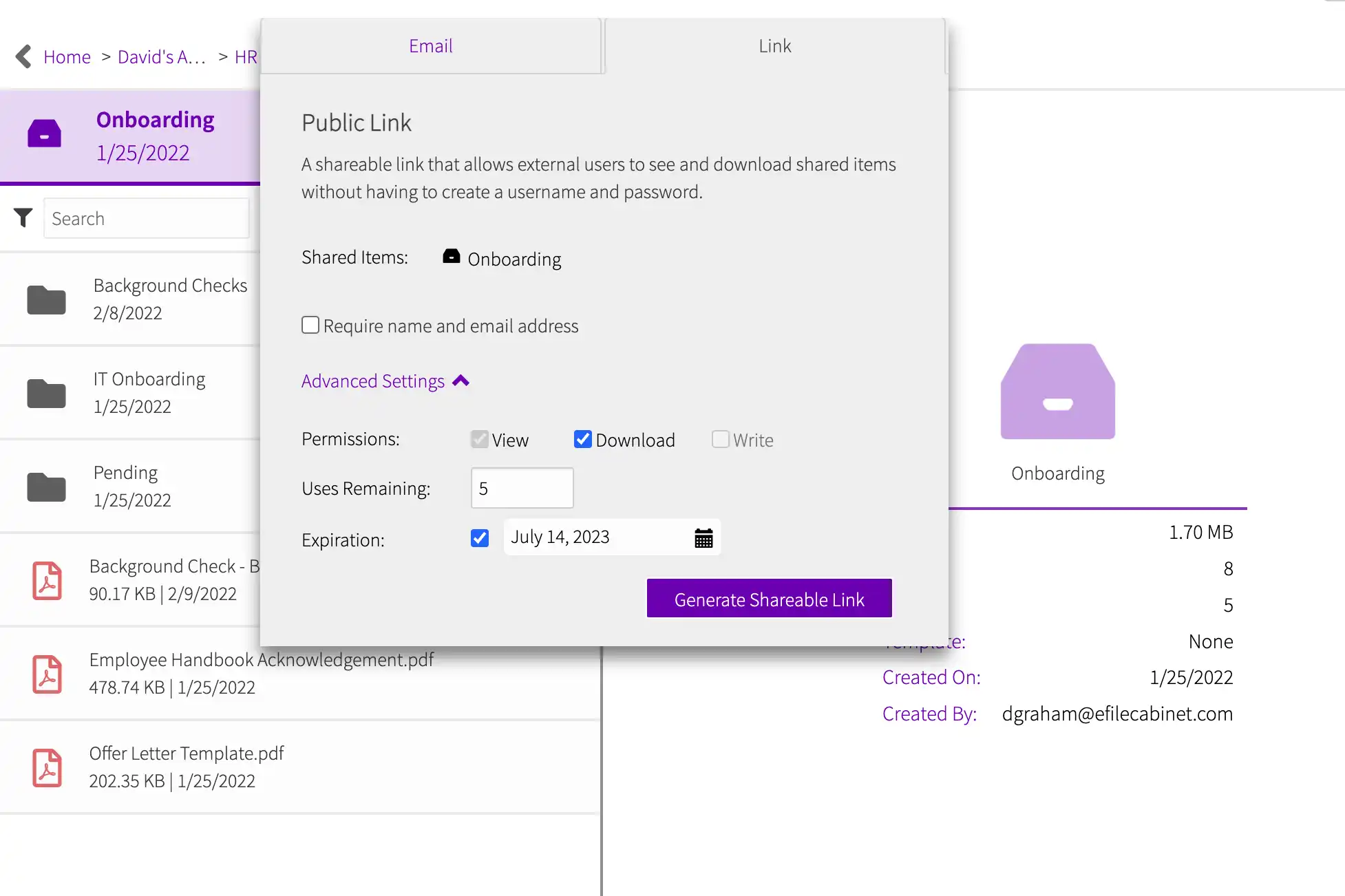
Collect supporting files securely
Expand screen
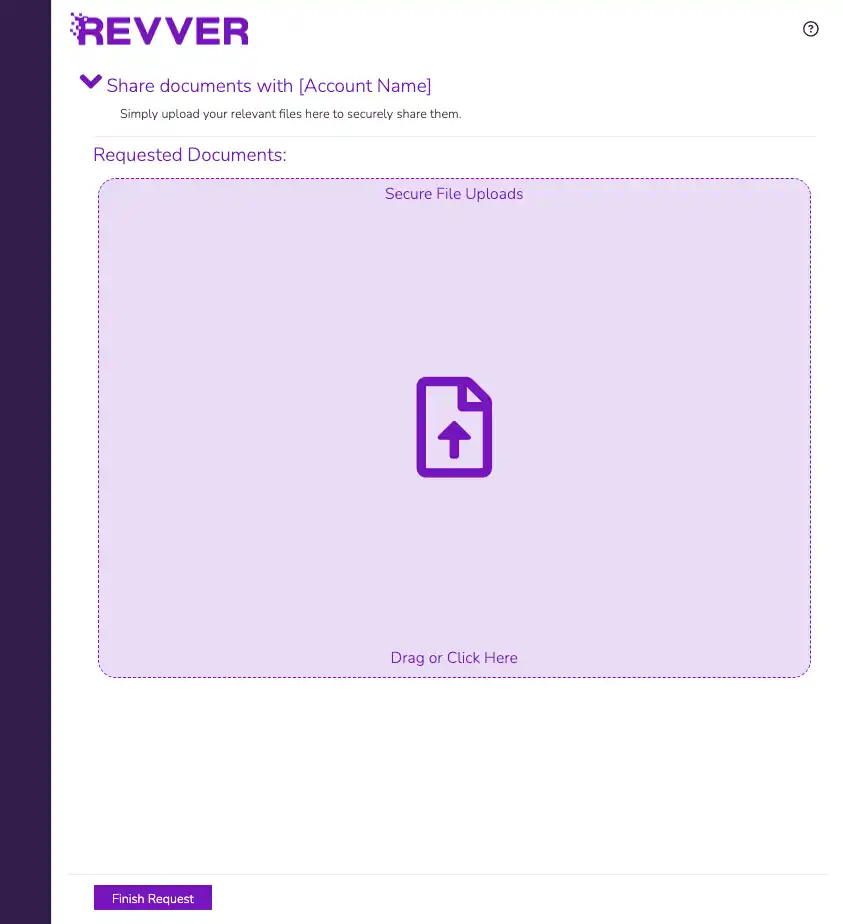
Let clients share documents with you in a branded portal like this.
LESS MANUAL WORK, STEP BY STEP
Give each review a clear next step
Expand screen
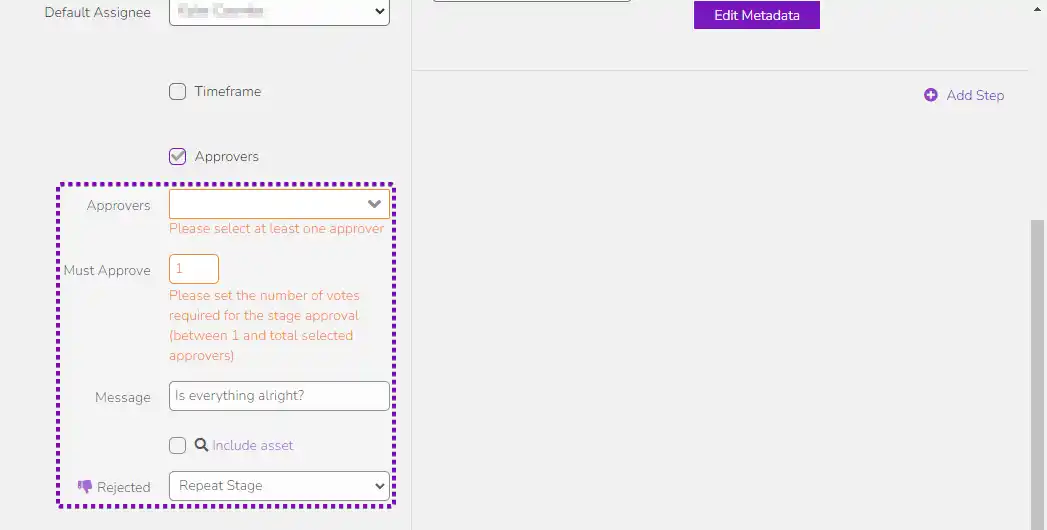
Keep assigned tasks and approval activity in view.
LESS MANUAL WORK, STEP BY STEP
TRUSTED ACROSS SOCIAL CARE & COMMUNITY SERVICES
Disability & Independent Living Services
Home Care & Nursing
Behavioral & Mental Health
Community Nonprofits


CUSTOMER RESULT
An audit visit went from three days to a couple of hours.
Reported by Justin Mastrantuoni at DON Services, a nonprofit.
AN ORGANIZED FILE. A SIMPLE NEXT STEP.
Keep the work around each document connected.
01 / ORGANIZE
Give every record a familiar home
Use folder templates and metadata to keep client and caregiver files consistent across departments and locations.
02 / FIND
Find the file without its filename
Search document text and metadata. OCR makes scanned paperwork searchable, so your team can use the details it already knows.
03 / COLLECT
Turn a form into a usable record
Let people fill out responsive forms on any device. Each response creates a PDF, with connected fields available for search and automation.
04 / ROUTE
Make the next review someone’s task
Configure no-code workflows to assign document reviews, send notifications, and collect eSignatures with visibility into progress.
DOCUMENT WORK THROUGHOUT YOUR ORGANIZATION
Choose where to get started.
Build a consistent process across client services, HR, finance, and compliance teams.
CLIENT ONBOARDING & DOCUMENT COLLECTION
Help the relationship start with a complete file.
Make it easier for clients and authorized representatives to provide the documents your team needs. Bring forms, supporting files, and signed agreements into a consistent document process.
Typical records: Consent forms, service agreements, insurance details, and required records.
- Collect information with responsive forms and secure document requests.
- Apply folder templates so each client file follows the same structure.
- Route documents for review and eSignature with assigned next steps.
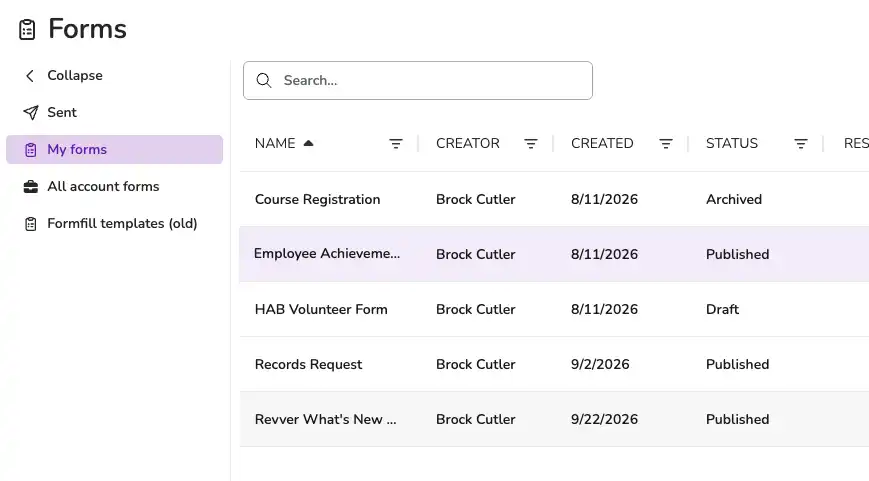
Click tabs to inspect social care workflows & records
CAREGIVER CREDENTIALS & HR
Keep the next renewal in view.
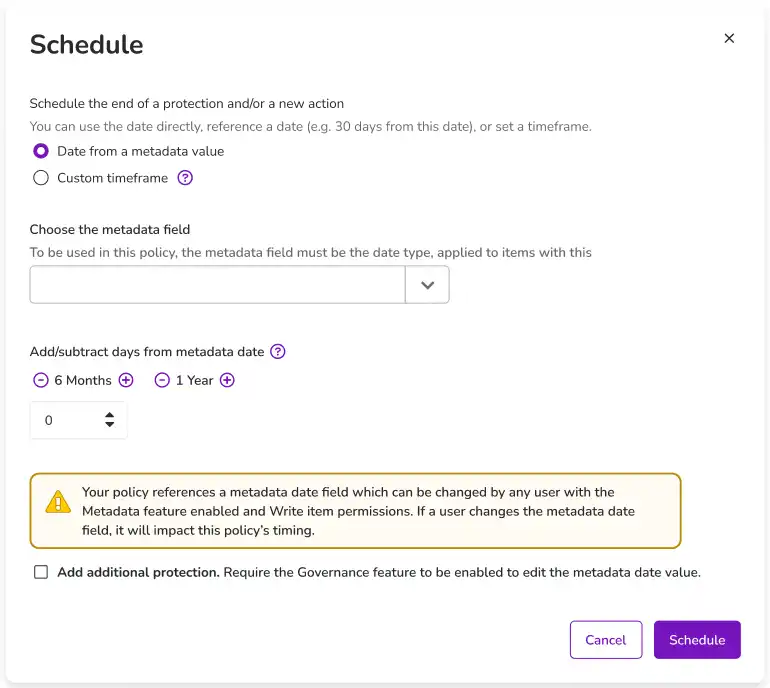
Bring caregiver documents together across offices and teams. Use document dates to schedule reminders, request updated credentials, and maintain an accurate history as records change.
Typical records: Licenses, certifications, onboarding packets, and policy acknowledgments.
- Capture credential details and expiration dates as metadata.
- Schedule notifications before a license or certification expires.
- Control access to sensitive personnel records by role and responsibility.
Click tabs to inspect social care workflows & records
BILLING SUPPORT & FINANCE
Keep the billing documentation together.
Your finance team needs the right supporting file when a question comes in about an invoice. Organize billing-related documents and approval records alongside the work in your existing accounting system.
Typical records: Billing support, payer correspondence, invoices, and approval records.
- Use searchable metadata to connect files to a client, invoice, or period.
- Route document reviews to the responsible person.
- Keep the source document and its activity history available for follow-up.
Click tabs to inspect social care workflows & records
COMPLIANCE & AUDIT PREPARATION
Prepare the record before a request arrives.
Make required documents easy to locate and review. Consistent folder structures, version history, and activity logs help your team assemble the evidence associated with its process.
Typical records: Credential records, policies, signed acknowledgments, and audit support.
- Find documents by content and metadata, including text in scanned files.
- Review file versions and recorded document activity.
- Apply access and retention controls based on your organization’s policies.
Click tabs to inspect social care workflows & records
REVVER AI, INSIDE YOUR DOCUMENT WORK
Give repetitive document tasks to AI.
Use the information already in your files to reduce manual entry and organize incoming documents. Keep your team responsible for review and decisions that need judgment.
Smart Extract
Capture client IDs, document dates, or license expiration dates as searchable metadata.
Explore Smart Extract AI →
Smart Hints
Give Smart Extract added context for hard-to-find fields in your unique documents.
Explore Smart Hints →
Smart Summary
Read the key points in policies and contracts before a closer review.
Explore Document Summaries →
Smart Classification
Identify document types using the categories your organization defines.
Learn about Classification →
Smart Name
Apply consistent filenames using metadata and a naming pattern you choose.
See Standardized Naming →
Smart Filing
Move files to configured locations and send filing exceptions to a review folder.
Automate Filing →
SENSITIVE INFORMATION. ADVANCED SAFEGUARDS.
Protect the documents people trust you with.
Set access according to a person’s role and responsibility. Revver’s security and governance controls support your organization’s privacy requirements, including HIPAA obligations where applicable.
01
Give the right people access
Set user, group, and item permissions. Control document sharing and revoke access when responsibilities change.
02
Keep a history you can follow
Use audit logs and version history to see document activity and distinguish current records from earlier versions.
03
Put your policies into daily practice
Apply retention controls and schedule governance actions using the dates and rules your organization defines.
Recognized for excellence. Built on trust.
Audits & certifications


Ratings & awards


CUSTOMER EXPERIENCES IN SOCIAL CARE
Less time in the filing room. More capacity for the work ahead.

DON SERVICES
NONPROFIT
AUDIT READINESS
Digital documents made audits more efficient.
Justin Mastrantuoni reported that an auditor who previously spent three days in the filing room completed a later visit in a couple of hours. Organized digital documents changed how the team supported the audit.
3 Days → A couple of hours
Time spent by an auditor during a visit
“Before [Revver], the auditor spent three days back in our filing room. He came back a couple of months ago, and he was in and out in a couple of hours.” — Justin Mastrantuoni, DON Services
Audit-visit experience reported in Revver’s published customer account.

TEAM SELECT HOME CARE
SCALABLE HR FILES
Personnel files that kept pace with growth.
Team Select digitized 600 employee records and kept pace as its workforce grew. Jennifer Frankito reported $150,000 in annual savings from handling personnel paperwork without the additional staffing her office would otherwise need.
$150,000 per year
Reported savings in personnel administration
“I can’t even imagine our company being this size and still using paper. Revver is definitely a platform that can scale with us.” — Jennifer Frankito, Director of Corporate Operations
Savings reported in Revver’s customer story; figures reflect that period.

See how Utah State Hospital moved beyond paper.
FITS YOUR TEAM AND YOUR EXISTING SYSTEMS
Bring the documents in your systems together.
Revver manages document work alongside your care, HR, and accounting systems. Connect the tools your team uses, and get help from Revver’s own team as you build the process.
Microsoft 365 & Google Workspace
Work with familiar productivity tools and bring documents into Revver.
APIs & configured connections
Scope document and data connections around the systems you already use.
Support from Revver’s own team
Get help with setup, document structure, and the workflows you want to improve.
DocuSign, Salesforce & Storage
Connect eSignatures and cloud storage directly into your workflow.
SOCIAL CARE DOCUMENT MANAGEMENT QUESTIONS
Answers for your operations and IT teams..
To implement Revver, start with the document process your team wants to improve. These answers can help you prepare for a useful conversation.

How does Revver fit with our care or case management system?
Revver provides document management and workflows around your existing systems. Use it for supporting client documents, caregiver records, policies, and finance files. Your care or case management system will continue to manage service delivery. Discuss any document or data connections with Revver’s integration team.
Can Revver remind us when caregiver credentials need renewal?
Yes. Date-based governance can schedule notifications relative to a metadata date, such as a license expiration. Your team chooses the timing and who receives the reminder, and then it defines how the updated credential is collected and reviewed.
How does Revver protect sensitive information and meet HIPAA requirements?
Revver has granular access permissions, sharing restrictions, audit logs, version history, and retention controls. These tools support your organization’s privacy and compliance policies. Review the current security documentation and your intended configuration with Revver.
Can clients and caregivers send us documents securely through Revver?
Revver offers secure document requests and controlled sharing. Clients, caregivers, and authorized representatives can provide requested supporting files through a portal. And your team manages who is allowed to access documents and what they can do with them.
Can we use Revver AI with scanned paperwork?
Revver uses OCR technology and Smart Extract AI to make scanned documents searchable and capture selected information as metadata. Use representative documents to configure the fields your team needs, and create review steps for extracted information to make sure it was done correctly.
Can we start using Revver in one department and expand to others?
Yes. Start as big or small as you like. Choose where to begin based on your team’s priorities, such as client document collection or caregiver credentials. Revver’s team can help you define folder structures, access, and workflows, and then extend the approach across other departments and locations as you see the results.
MAKE MORE ROOM FOR THE PEOPLE YOU SERVE
See your social care document workflow in Revver.
Bring the process you want to improve. We’ll show you how much better it can become.
- Built for Human Services & Nonprofits
- HIPAA & SOC 2 Type II Certified
- Dedicated In-House Implementation