


A DEMO BUILT AROUND YOUR HEALTHCARE WORKFLOW
Let’s look at your healthcare document work.
Bring a process from HR, credentialing, finance, or operations. We'll show how Revver keeps work moving securely.
HEALTHCARE
Healthcare document management software.
Less paperwork. More time for people.
Keep the business of healthcare moving. Revver brings employee files, credentials, billing documents, policies, and contracts into one secure place, with built-in AI and no-code workflows to reduce manual work.
Built to work alongside your EHR. Revver manages documents and administrative processes. It is not an electronic health record system.
LESS MANUAL WORK, STEP BY STEP
Explore the product
- 1 Capture key details with Smart Extract AI
- 2 Keep work moving with assigned approvals
- 3 Track credentials and license renewals
Smart Extract AI
Expand screen ↓
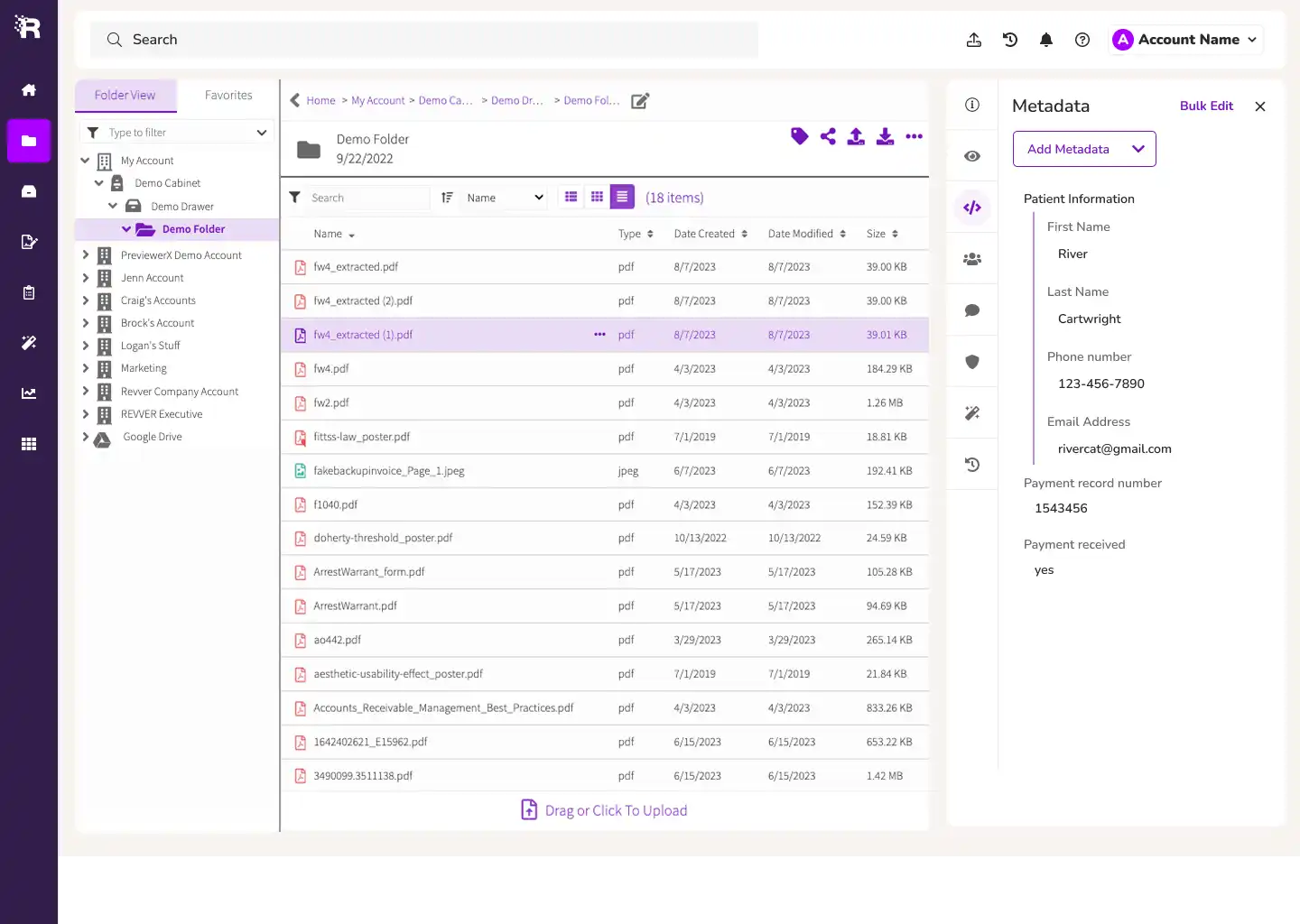
Pull the details your process needs.
A BETTER EXPERIENCE, ON BOTH SIDES
Approval tasks in Revver
Expand screen ↓
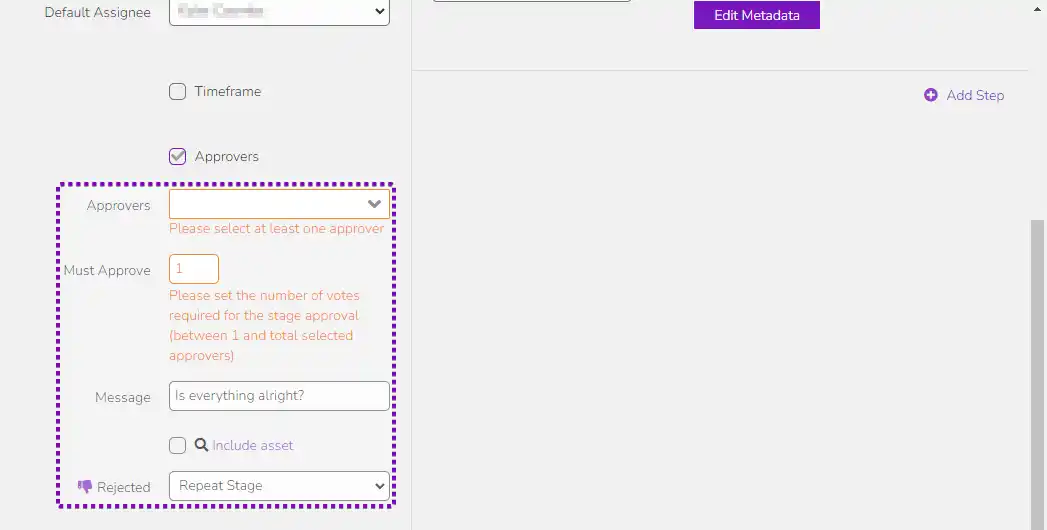
Keep review tasks and activity in view.
A BETTER EXPERIENCE, ON BOTH SIDES
Credentialing & licensing
Expand screen ↓
Track provider credentials and license renewals automatically.
A BETTER EXPERIENCE, ON BOTH SIDES
HELPING HEALTHCARE TEAMS PUT DOCUMENTS TO WORK
Hospital administration
Home healthcare operations
Staffing & credentialing
Finance & compliance


HEALTHCARE RESULTS
Utah State Hospital & Team Select Home Care use Revver to manage sensitive records, control access, and support compliant operations.
Protect sensitive records and support compliant operations.
FROM A DOCUMENT TO A COMPLETED PROCESS
Keep healthcare operations moving across departments.
Make the next step clear for every document your teams handle.
HR & CREDENTIALING DOCUMENTS
Help your people get ready. Keep their documents current.
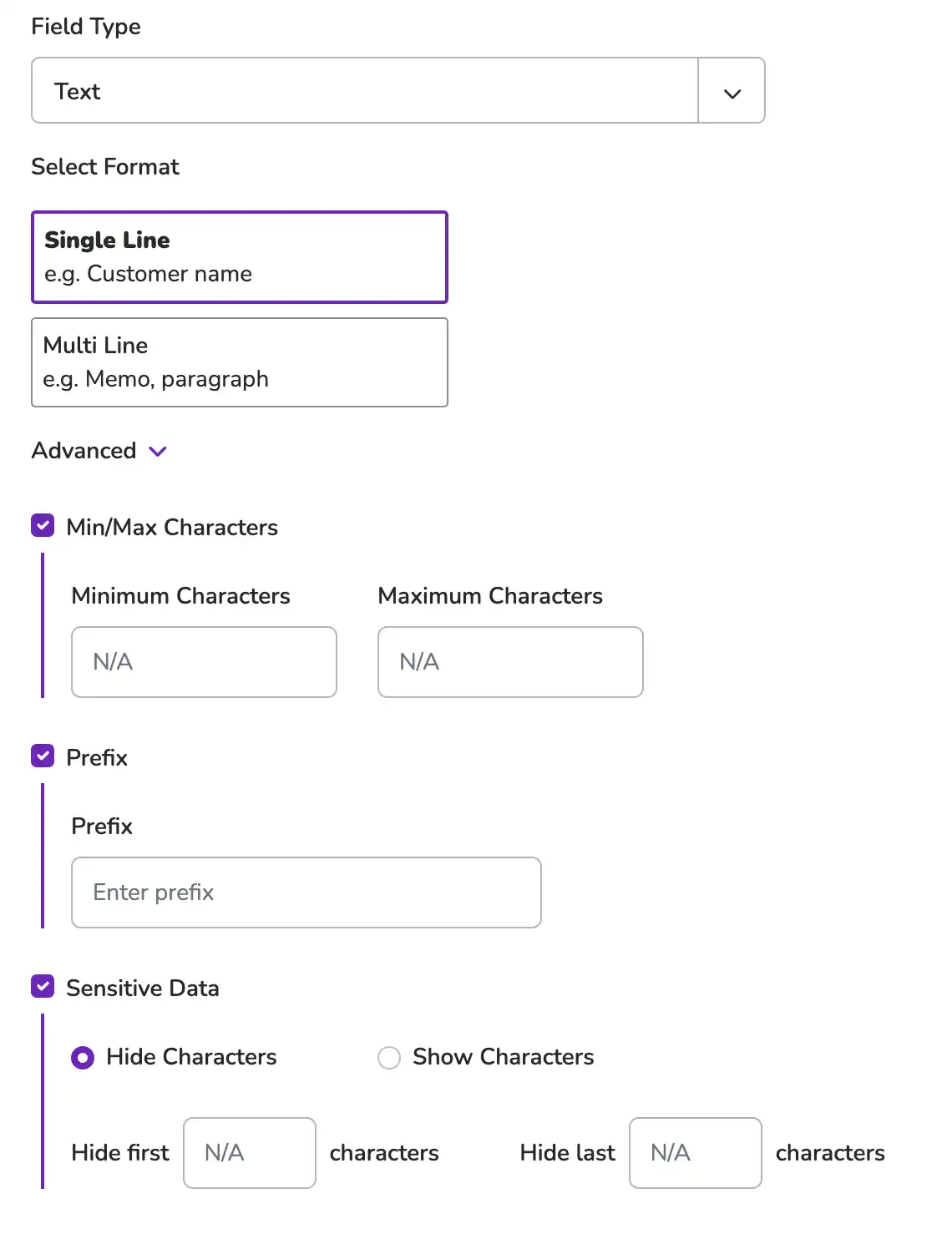
Bring employee paperwork and credential documents together so HR can see what has arrived, what needs review, and what’s coming up for renewal.
Typical records: Licenses, certifications, onboarding forms, training records, and signed acknowledgments.
- Use folder templates to organize each employee’s file consistently.
- Extract names and expiration dates, then route renewal tasks to the right owner.
- Collect signatures and restrict sensitive personnel documents to authorized staff.
Click to expand product screen ↓
BILLING & ACCOUNTS PAYABLE
Keep supporting documents close to the financial work.
Give finance staff a dependable way to retrieve the documents recording a bill, payment, or supplier expense without searching across email and shared drives.
Typical records: Licenses, certifications, onboarding forms, training records, and signed acknowledgments.
- Organize billing documents by account, date, and document type.
- Capture supplier invoice details and assign review and approval steps.
- Keep the supporting file available for accountability and audits.
Click to expand product screen ↓
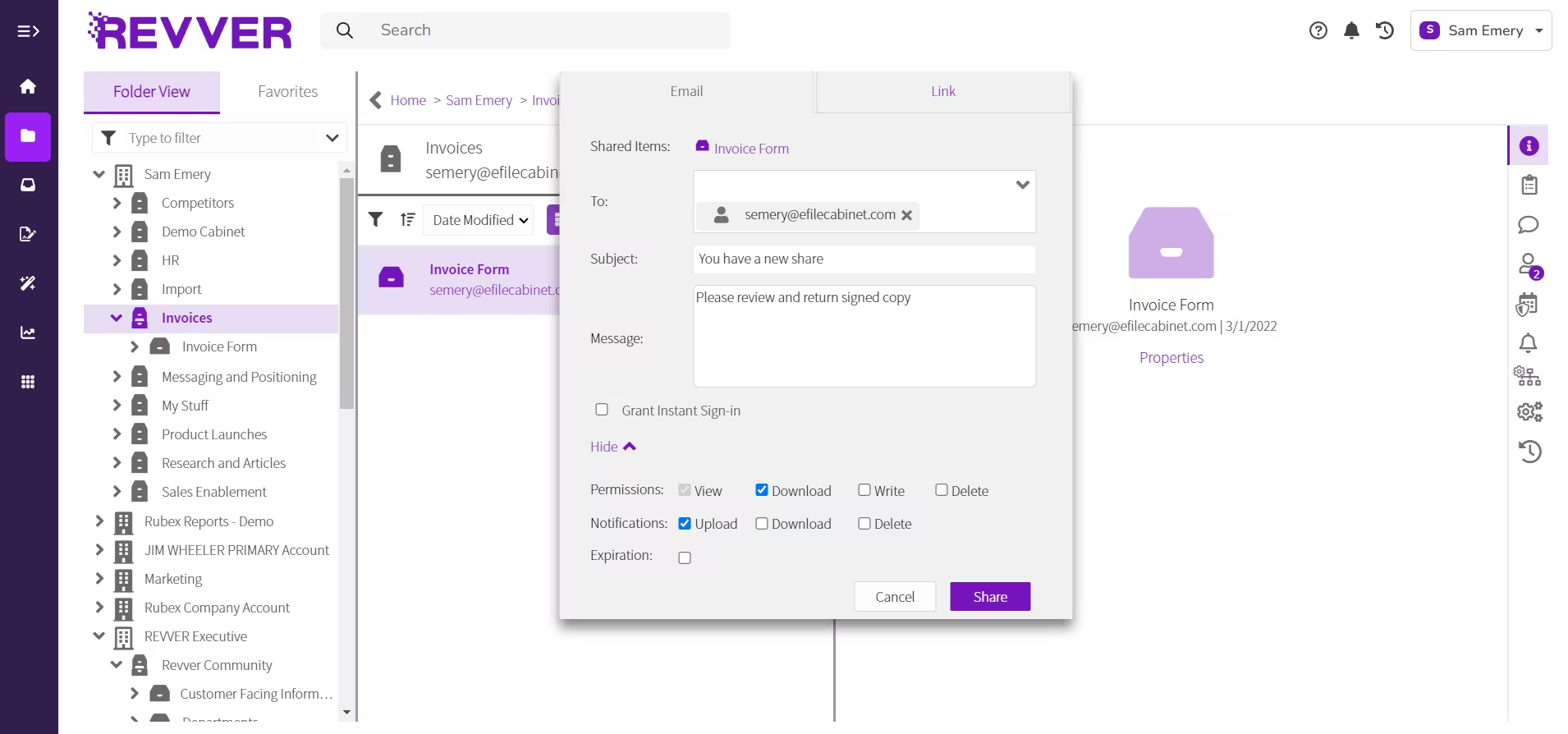
POLICIES & AUDIT PREPARATION
Ensure everyone works from the current version.
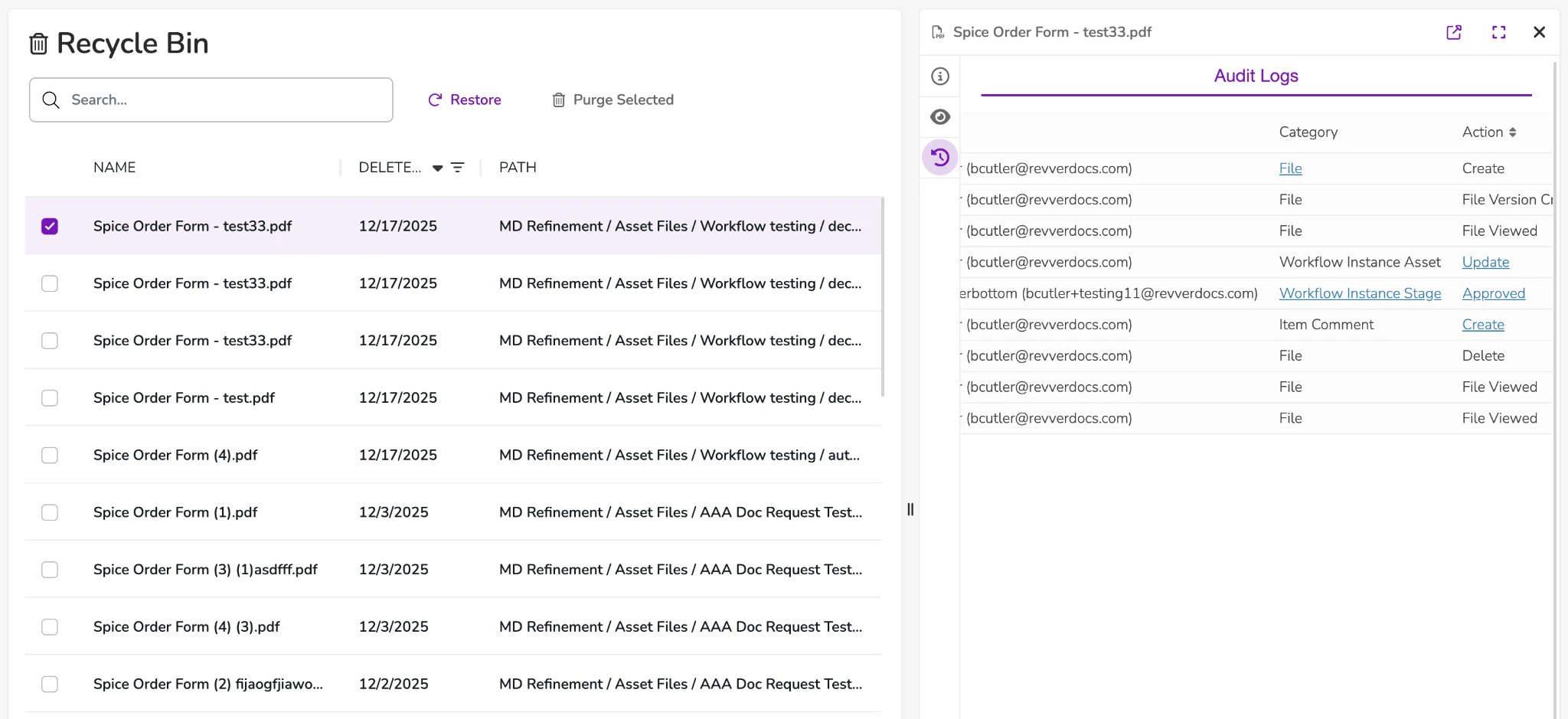
Revver brings policy drafts, approved versions, and supporting evidence into a controlled document process. This gives reviewers the context they need without rebuilding the version history from email.
Typical records: Procedures, policies, review records, training acknowledgments, and audit evidence.
- Route changes through a defined review and approval process.
- Keep version history and document activity available for review.
- Collect related evidence in organized folders with appropriate access.
Click to expand product screen ↓
CONTRACTS & VENDOR RECORDS
Keep agreements visible from review to renewal.
Maintain a transparent record of supplier agreements and the documents around them, with ownership at each step of the review process.
Typical records: Vendor contracts, service agreements, business associate agreements, insurance certificates, and amendments.
- Organize agreements by vendor, facility, owner, and key dates.
- Route drafts for review, and use eSignature for execution.
- Set date-based reminders, and make executed versions easy to retrieve.
Click to expand product screen ↓
SECURE DOCUMENT INTAKE
Give incoming paperwork an obvious place to land.
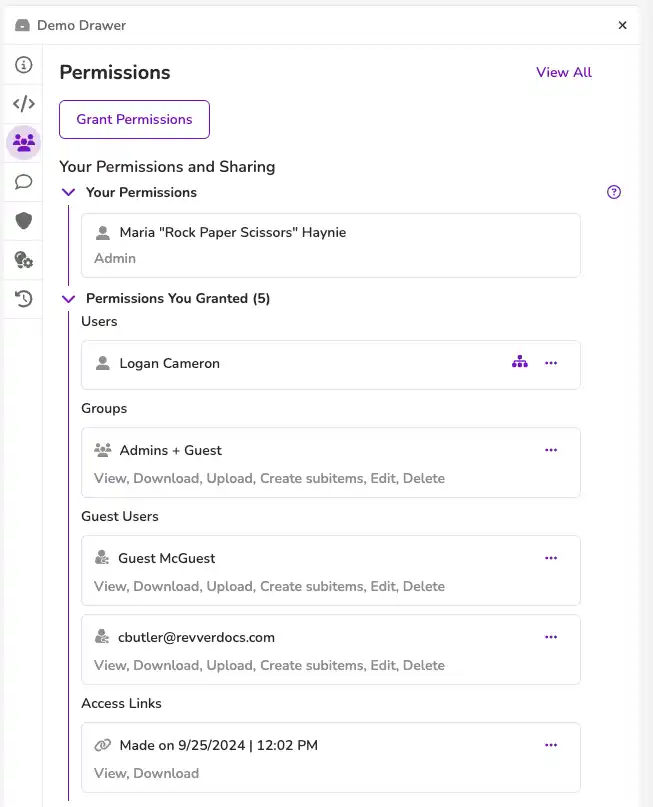
Collect documents from employees, vendors, and patients through secure submission options, then direct them to the team responsible for review.
Typical records: Administrative forms, signed authorizations, employee paperwork, and requested documents.
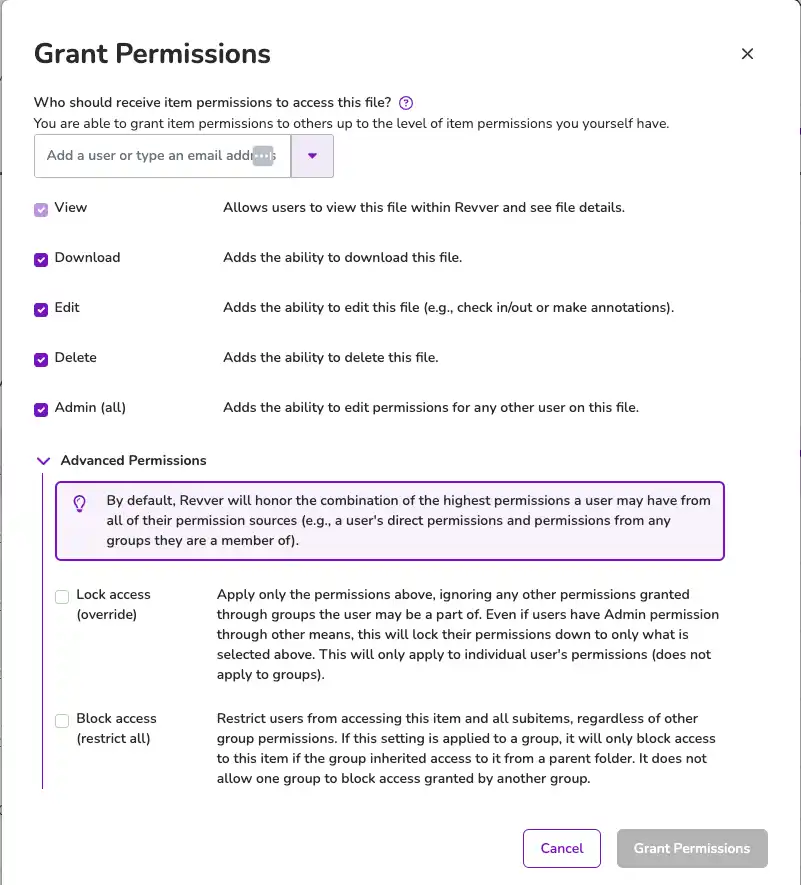
- Use secure upload links and forms to collect requested paperwork.
- Store incoming files in consistent folders with defined permissions.
- Assign review tasks so the next step has an owner.
Click to expand product screen ↓
A CLEAR ROLE IN YOUR HEALTHCARE ORGANIZATION
Your EHR supports care. Revver supports the work around it.
Link HR, payroll, eSignature, and ERP workflows through Revver’s APIs, connectors, and tailored integrations. Explore the right connections for your existing technology.


Many more
Explore your options ↗
A CLEAR ROLE IN YOUR HEALTHCARE ORGANIZATION
Your EHR supports care.
Revver supports the work around it.
An EHR is the system for clinical charting and patient care records. Revver gives administrative teams a shared way to organize business documents and move document-driven work forward.
One home for operational documents
- Employee files and credential documentation
- Billing support and vendor invoices
- Policies, agreements, and audit evidence
- Secure intake and document approvals
Keep clinical charting, diagnoses, prescriptions, and care delivery workflows in your EHR.
ORGANIZED INFORMATION. LESS MANUAL WORK.
Put healthcare documents to work across your organization.
01 / CAPTURE
Put your paper to work.
Bring files in from scans, emails, forms, or uploads. Smart Extract AI captures selected details such as names, amounts, and dates, making those fields available for search and workflows in Revver.
02 / FIND
Find the document behind the question.
Search document text and metadata instead of relying on filenames. Retrieve a vendor agreement, personnel document, or archived invoice using the details your team knows.
03 / AUTOMATE
Make the next step someone’s task.
Configure no-code workflows for reviews, approvals, notifications, and signatures. Define responsibilities and exceptions so document work follows a repeatable process across facilities and departments.
04 / PROTECT
Give the right people access.
Use file and folder permissions, secure sharing, encryption, and audit logs to safeguard sensitive information. Revver’s controls work in harmony with your organization’s HIPAA compliance program.
05 / MONITOR
Stay ahead of document renewals.
Use extracted dates and document metadata with reports and scheduled actions to monitor certifications and other time-sensitive records. Give document owners visibility into what needs attention.
06 / GOVERN
Keep a history you can follow.
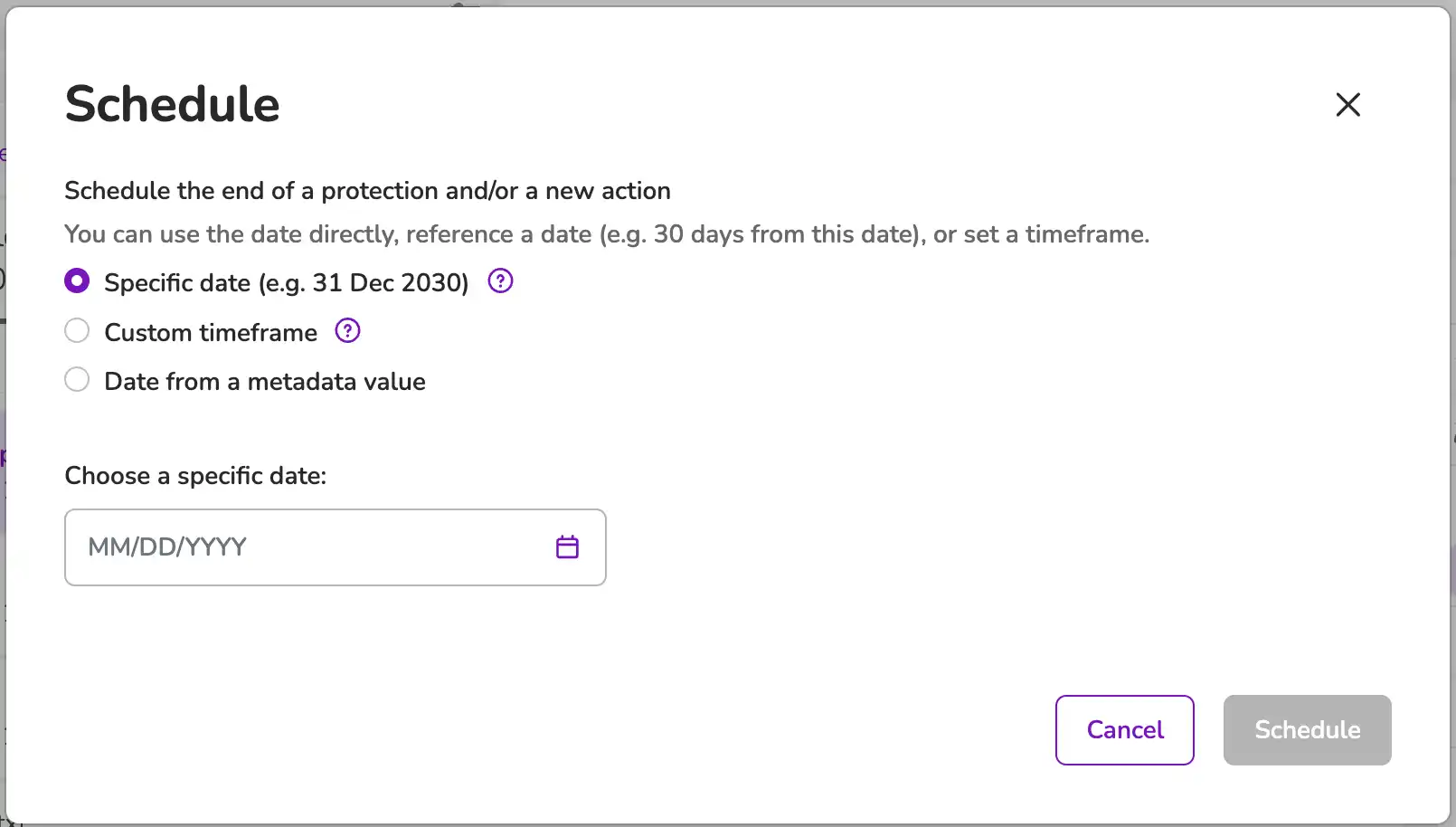
Maintain versions and activity logs, apply retention controls, and schedule governance actions. Organize the evidence your team needs to explain when a document changed and how it was handled.
Audits, certifications, ratings, and awards
Audits & certifications


Ratings & awards


HEALTHCARE CUSTOMER EXPERIENCES
Real organizations. More room for what matters.

HOSPITAL ADMINISTRATION
Utah State Hospital
CONTROLLED ACCESS & VISIBILITY
Protect sensitive documents. Make their history visible.
Utah State Hospital describes using Revver to control document access and see who has accessed sensitive information, while saving time and space through paperless processes.
100%
audit-ready document tracking
HIPAA
compliant role-based access
“[Revver] helps us to be HIPAA compliant by only allowing access to those who need it.” — Utah State Hospital

HOME HEALTHCARE OPERATIONS
Team Select Home Care
DOCUMENT MANAGEMENT THAT SCALES
Support a growing organization without growing the paper.
Team Select Home Care describes paperless document management as essential to supporting its growth, with a platform that can expand alongside the business.
Paperless
across expanding locations
Scalable
platform growing with business
“[Revver] is definitely a platform that can scale with us.” — Jennifer Frankito, Team Select Home Care
HEALTHCARE DOCUMENT MANAGEMENT QUESTIONS
Answers for operations, HR, and IT.
Understand where Revver fits, which documents it manages, and how its controls help your team.

Is Revver an EHR or EMR system?
No. Revver is a document management and workflow platform. It supports administrative and business documents around healthcare delivery. It doesn’t replace clinical charting, prescribing, or other EHR functions.
What healthcare documents can we manage in Revver?
Examples include employee and credential records, vendor invoices, billing support, contracts, policies, training acknowledgments, and audit evidence. Your organization defines where patient-related administrative documents belong and how they are handled.
How does Revver support HIPAA compliance?
Revver offers permissions, audit logs, encryption, sharing controls, and retention settings that sustain secure document handling. Compliance also depends on your organization’s configuration, policies, and use. Review your requirements with Revver before storing protected health information.
Can we track license and certification documents with Revver?
Yes. Organize credential documents, capture expiration dates, and use reporting and date-based actions to allow renewal follow-up. This manages the documentation and tasks around credentialing; your organization still performs required verification and makes credentialing decisions.
Can Revver connect with our existing systems?
Revver has APIs and connectors for linking document work with other applications. Compatibility, available fields, and transfer methods depend on the system. Review your EHR, HR, finance, or practice-management requirements with Revver, and we can most likely accommodate you.
What does Revver AI do with our documents?
Smart Extract AI captures selected metadata to enable search and workflows. Revver AI also offers Smart Summary for document summaries. You can include human review in the process to make sure everything works properly. These are document productivity tools, not clinical decision-making tools.
START WITH THE WORK THAT SLOWS YOU DOWN
See your healthcare document workflow in Revver.
Bring a process from HR, finance, or operations. See how it could work in Revver.
- HIPAA Security Compliant
- EHR & Ops Systems Compatible
- Expert Guided Healthcare Onboarding