


A DEMO BUILT AROUND YOUR FIRM
Let’s look at your firm’s document work.
Bring a recurring process, client files, and the points where work slows down. We’ll show how Revver automates your firm’s paperwork.
TAX & ACCOUNTING FIRMS
Accounting document management software
More time for clients. Less time chasing documents.
Put client documents and the work around them in one secure place. With built-in AI agents and no-code workflows, Revver helps your accounting firm manage paperwork from the first request to the final deliverable, even during your busiest season.
Starts with a discovery call about your firm and document workflows.
A CLIENT EXPERIENCE AND WORKFLOW YOU CAN TRUST
Explore the product
- Collect files through a branded client portal
- Capture details with Smart Extract
- Find records with full-text search
Your firm's own client portal
Click to expand product screen ↓
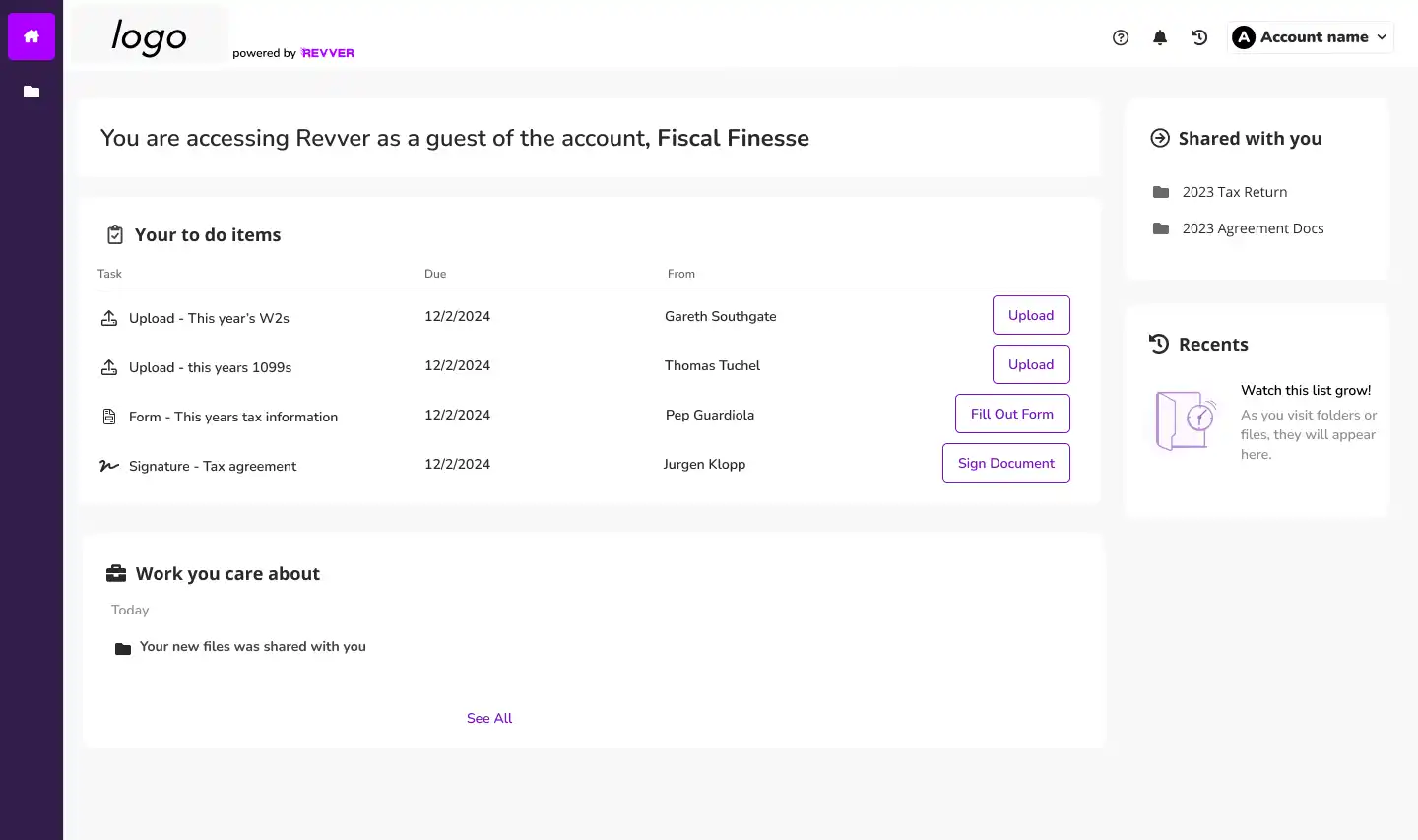
Give clients an obvious, branded place to upload information.
Revver product view
Smart Extract AI
Click to expand product screen ↓
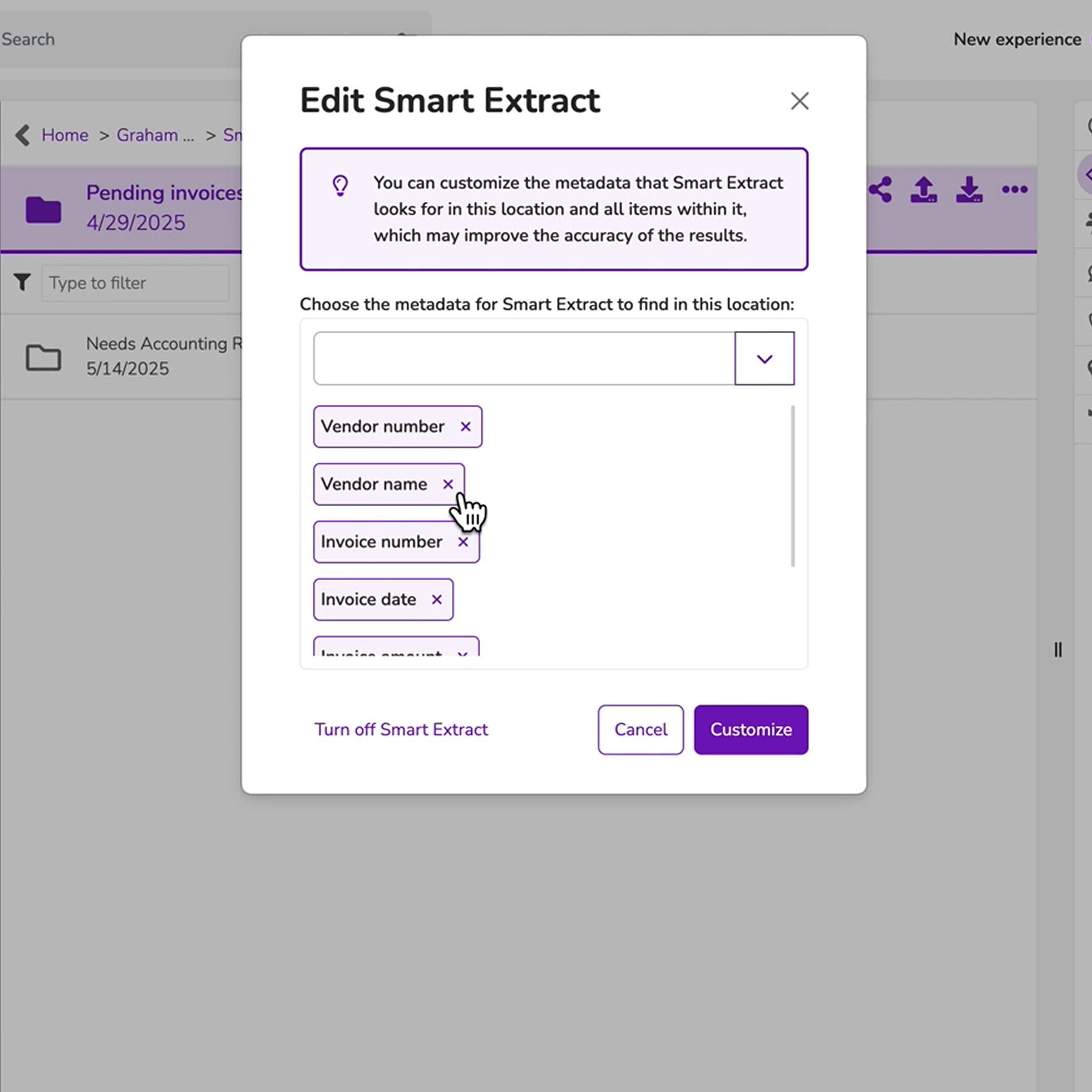
Choose the client information your team needs.
Revver product view
Full-text and metadata search
Click to expand product screen ↓
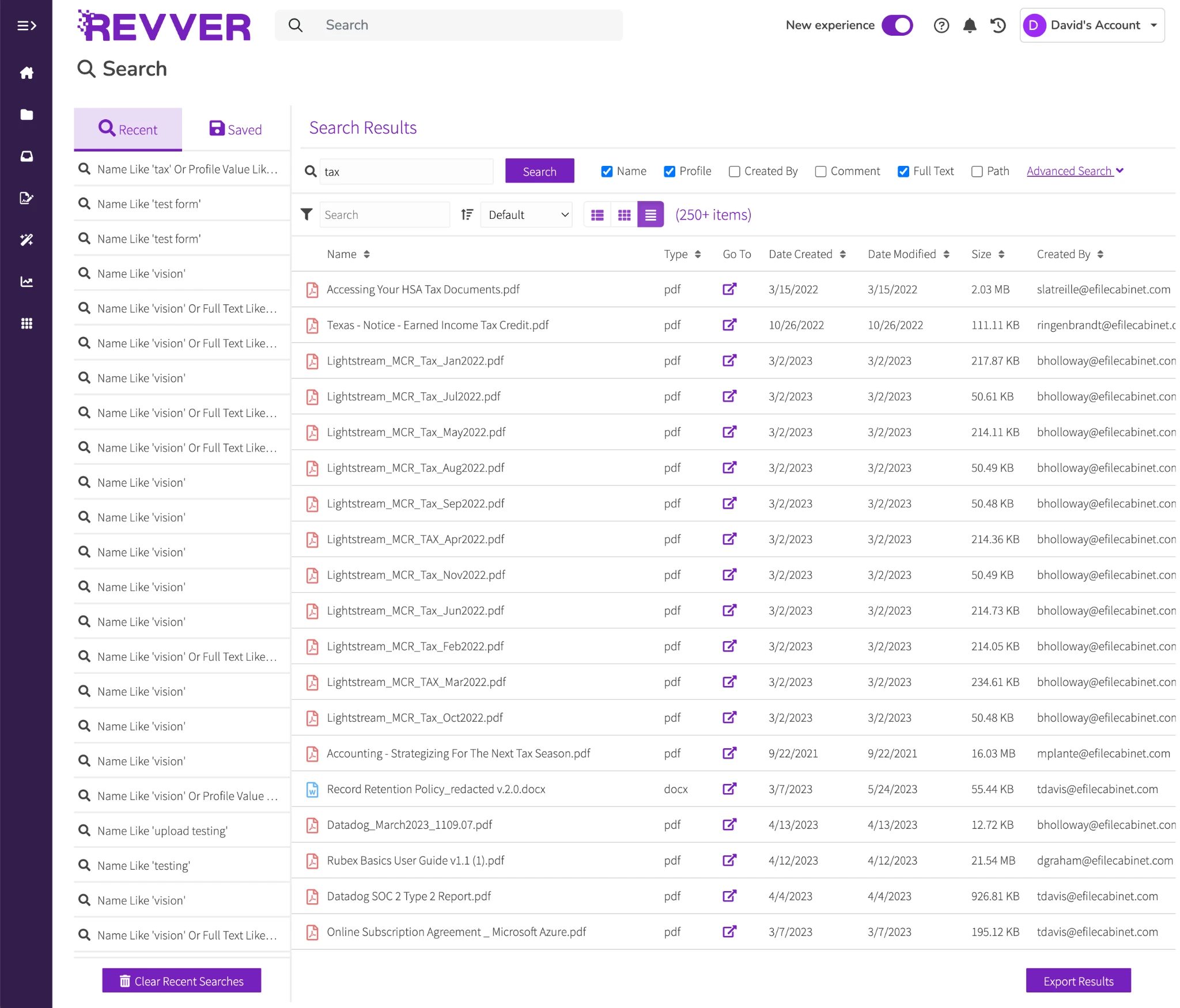
Find the document that answers a client’s question.
Revver product view
TRUSTED BY HUNDREDS OF TAX & ACCOUNTING FIRMS
Tax Planning & Prep
Audit & Assurance
CAS & Client Accounting
Practice Management


ACCOUNTING CUSTOMER RESULT
Axios CPA & Advisory Group: saves 90+ hours a month organizing files.
More capacity for client work during tax season.
BUILT FOR THE WORK YOUR ACCOUNTING FIRM DOES
Give every engagement a clear path forward.
Whether handling annual returns, audit engagements, or monthly reconciliations, Revver provides an organized, repeatable path from client request to final review.
TAX PLANNING & PREPARATION
Keep the tax file moving as documents arrive.
Clients rarely send everything at once. Connect each upload to the right client and tax year, so new documents can move into your preparation and review process without a round of manual filing.
Typical records: W-2s, 1099s, receipts, prior-year returns, and signed engagement letters.
- Safely collect supporting files through secure document requests and client portals.
- Use naming rules and filing automation to organize documents, then route review tasks to the right people.
Click to expand product screen ↓
AUDIT & ASSURANCE
Hold onto the evidence of every review.
Bring supporting documents and working files into Revver’s consistent engagement structure. Reviewers can find the current version and follow the document's activity history as work changes hands within your firm.
Typical records: Client-provided evidence, workpapers, financial statements, and reviewer signoffs.
- Store requested evidence and limit access to the authorized engagement team.
- Assign review and approval steps, then preserve completed files using your firm's retention controls.
Click to expand product screen ↓
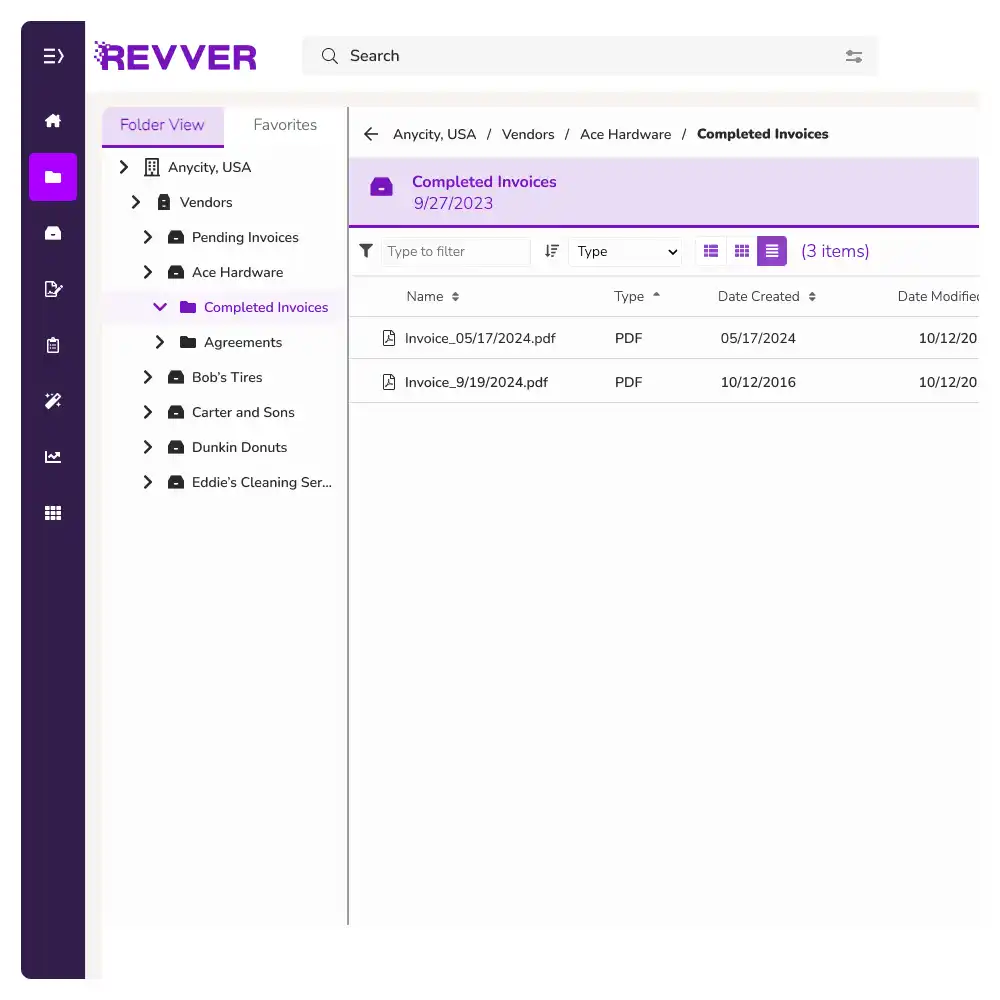
BOOKKEEPING & FINANCIAL STATEMENTS
Bring the records behind the numbers together.
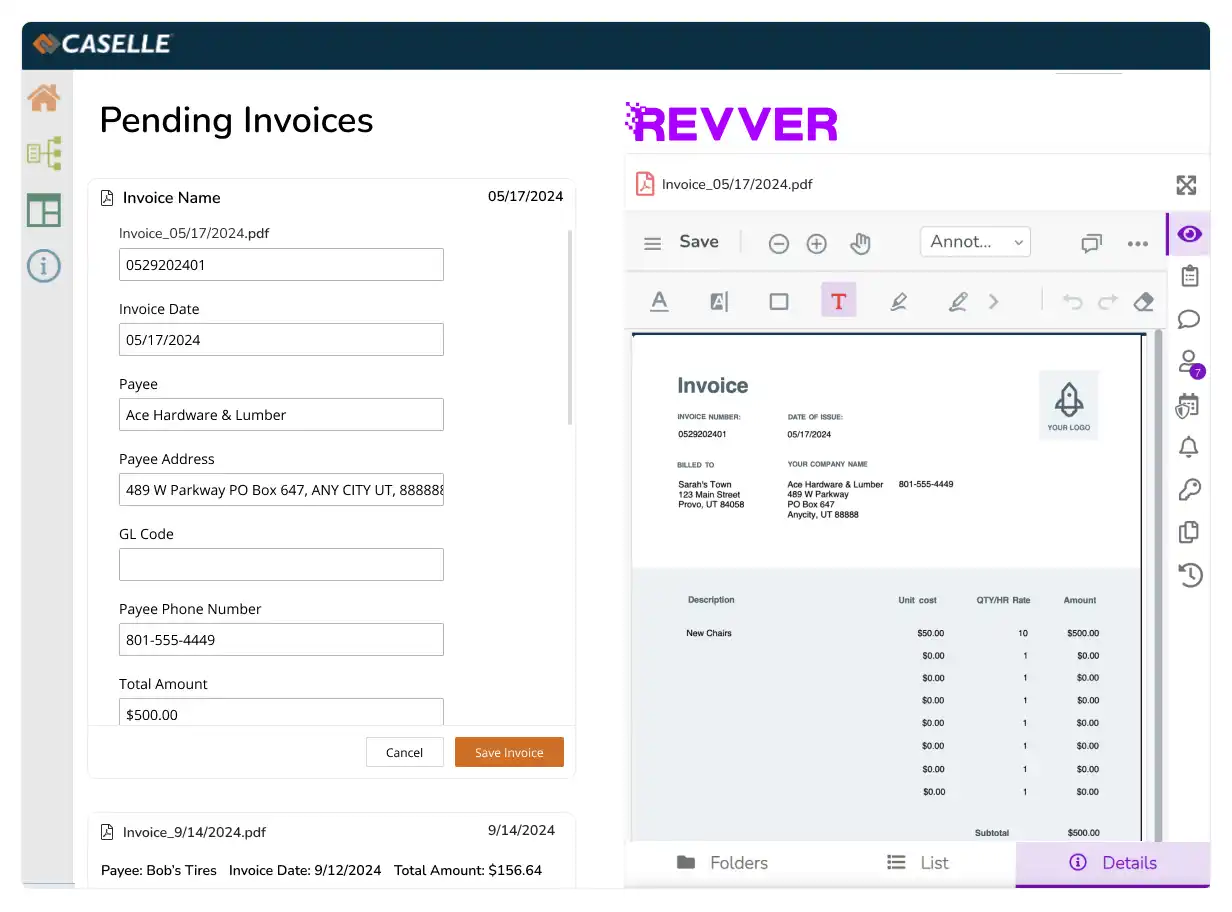
Give staff a dependable place to find the invoice, statement, or receipt that supports a monthly entry, so reconciliations and reviews keep moving on schedule.
Typical records: Invoices, bank statements, reconciliation support, and financial reports.
- Capture selected invoice details as searchable metadata with Smart Extract AI.
- Route document approvals and keep each period's source records accessible to the team.
Click to expand product screen ↓
NEW CLIENTS & RECURRING ENGAGEMENTS
Make the first request feel easy.
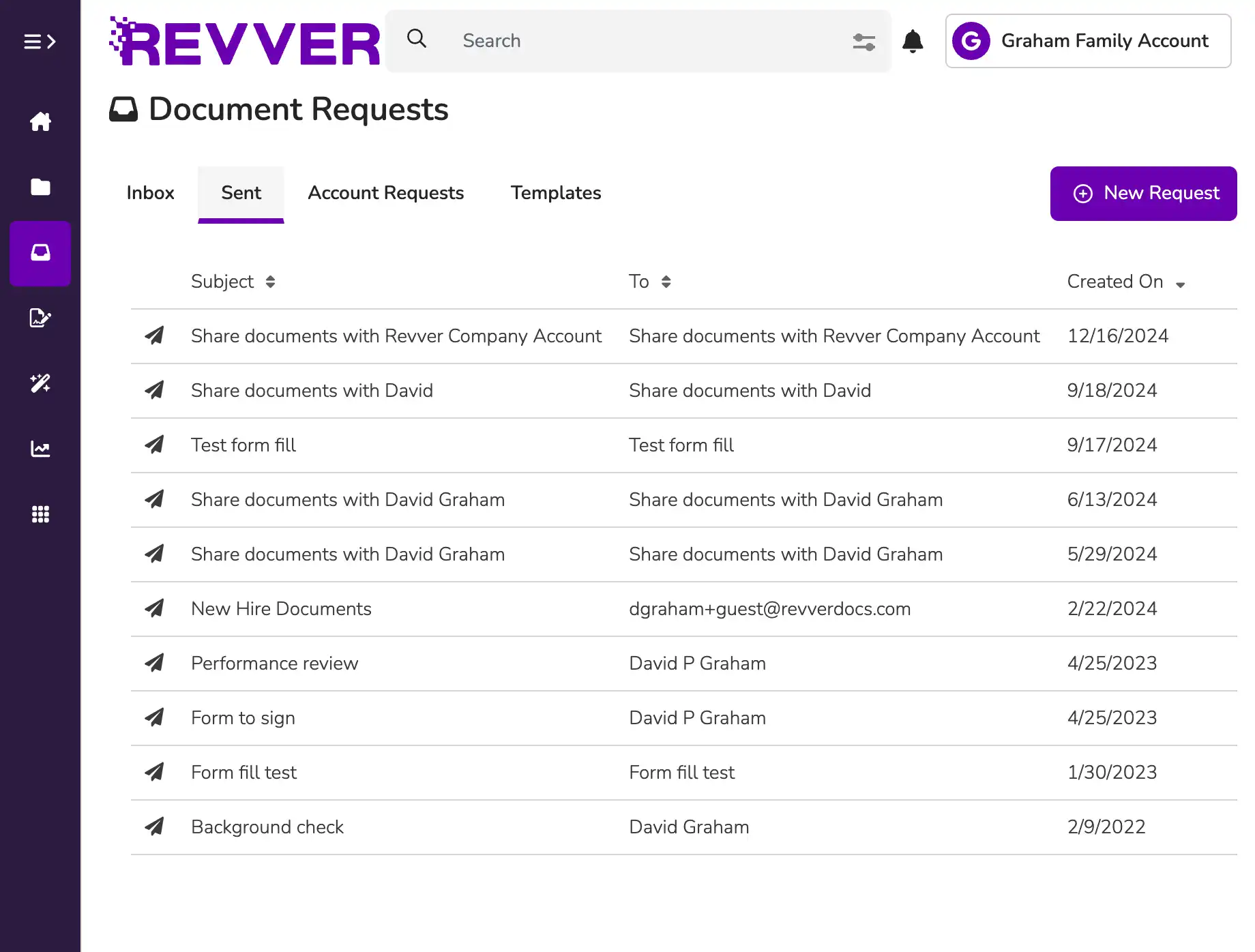
Give clients a simple way to submit information and supporting documents. Apply a familiar folder structure so your team can get started with an organized record, then reuse the process for the next engagement.
Typical records: Client intake forms, engagement letters, prior records, and supporting documents.
- Use responsive digital forms for intake details and secure requests for file uploads.
- Create client folders from templates, and route engagement letters for approval and eSignature.
Click to expand product screen ↓
REVVER AI AGENTS FOR ACCOUNTING
Give repetitive document work less of your day.
Put the information already in your documents to work. Revver AI agents help your team organize incoming files and find the details they need without repeating the same manual steps.
Smart Extract
Capture client names, dates, and selected values as searchable document details.
Explore Smart Extract AI →
Smart Hints
Give Smart Extract added context for hard-to-find fields in your unique documents.
Learn about Smart Hints →
Smart Summary
Get a searchable synopsis of a document before opening the full file.
Explore Document Summaries →
Smart Classification
Identify document types using the categories and descriptions your firm defines.
Learn about Classification →
Smart Name
Apply consistent filenames using metadata and your preferred naming pattern.
See Standardized Naming →
Smart Filing
Move files to mapped folders using metadata. Send exceptions to a review folder.
Automate Client Filing →
CLIENT TRUST, BUILT INTO THE PROCESS
Protect sensitive records. Keep a history you can follow.
Put your firm's document policies into practice with access controls and an accountable record of activity. Retention and governance tools help your team preserve completed work and manage files across their lifecycle.
01
Access based on responsibility
Set permissions by user, group, or item, and adjust access as engagement teams change.
02
A record of the document's history
Use audit logs and version history to follow activity and distinguish the current file from an earlier draft
03
Retention that follows your policies
Apply retention controls and scheduled governance actions according to your firm's approved requirements.
THE DOCUMENT FOUNDATION FOR YOUR PRACTICE
Make everyday accounting work easier to manage.
01 / ORGANIZE
A familiar file for every client
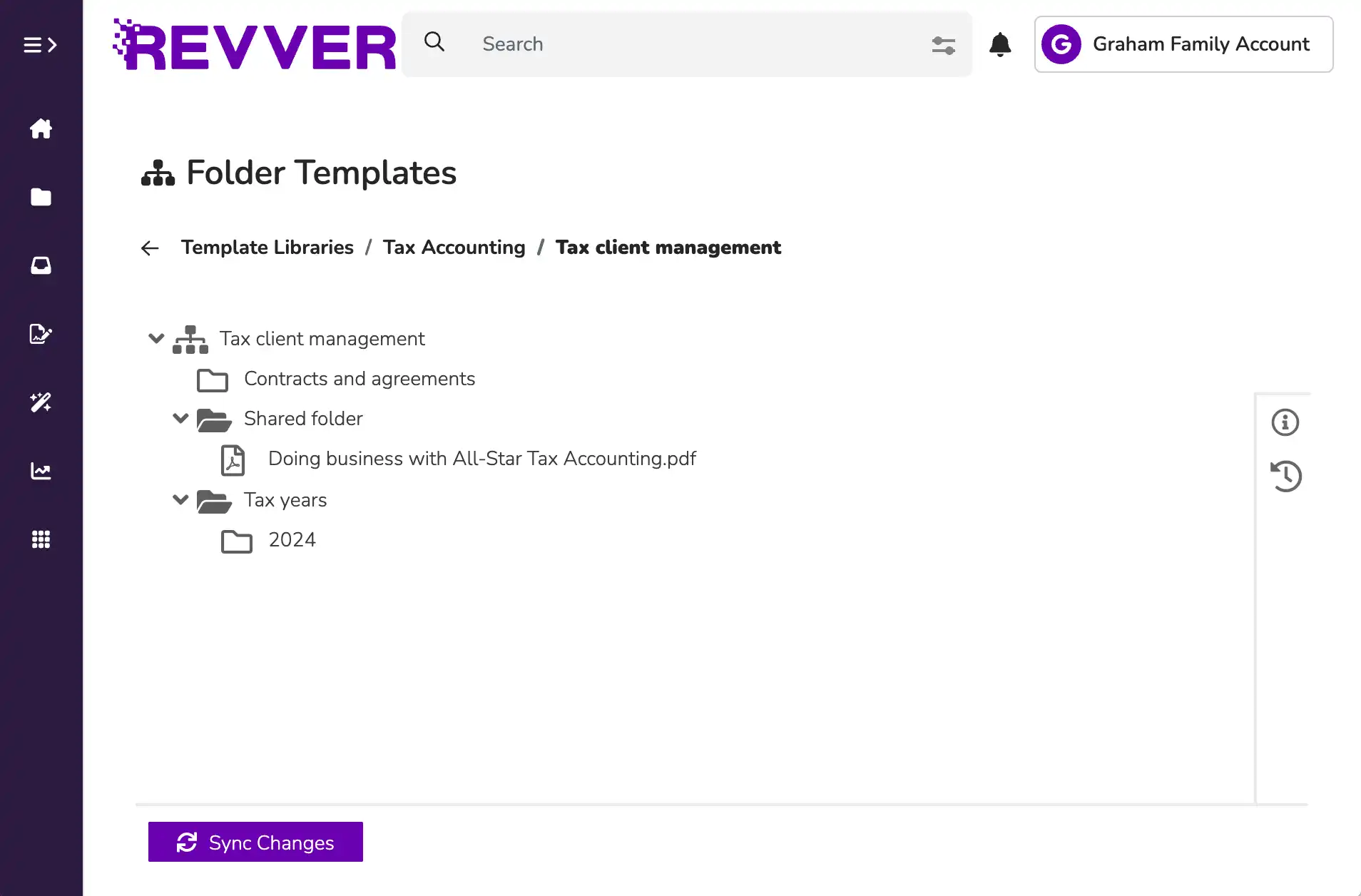
Use folder templates to standardize client and engagement records. Keep the same structure as your practice grows and new teammates join.
02 / FIND
The record containing the answer
Search file contents and document details. OCR makes scanned text searchable, helping your team retrieve a record without remembering its filename.
03 / COLLECT
An easier way to send information
Clients can complete responsive forms and submit files through secure requests. Form responses become PDFs, with connected fields available for search and automation.
04 / REVIEW
Each step has an owner
Configure no-code workflows for document routing and approval. Give preparers and reviewers assigned tasks and notifications to help work continue between handoffs.
05 / SIGN
Signed copies stay connected
Send engagement letters and other agreements for eSignature. Track progress and keep the completed document with the client records that support the engagement.
06 / COLLABORATE
The right access for each relationship
Control what clients and teammates can view or share. Branded portals allow for ongoing document exchange while permissions keep client files both safe and accessible.
Recognized for excellence. Built on trust.
Audits & certifications


Ratings & awards


ACCOUNTING CUSTOMER SUCCESS
More capacity for the work your clients count on.

Axios CPA & Advisory Group
Tax & Advisory Firm
LESS MANUAL FILE ORGANIZATION
Axios gives its team more time during tax season.
Hundreds of client documents arrived daily, leaving the team repeatedly organizing shared folders. Revver helped Axios automate that document work, saving the firm more than 90 hours a month on manual file organization.
90+ Hours
Saved monthly on file organization
Tax Season
Peak volume handled automatically
“The automation in Revver gave us our time back during the busiest months of the year.”

Hill & Associates
Accounting & Advisory
FASTER CLIENT SERVICE
Hill & Associates answers clients faster.
When clients called with questions about past filings, finding the supporting documents took staff away from active work. With Revver, client records and supporting workpapers are organized and searchable in seconds.
< 10 Sec
Instant workpaper retrieval
1 Call
Answers provided on first touch
“We can answer a client's question while they're on the phone, instead of calling them back after searching through archive folders.”
CONNECTED TO YOUR HR WORLD
Keep documents close to your everyday tools.
Revver works with Microsoft 365 and Google Workspace. Scope API connections around your accounting, tax, or practice management applications, with Revver's team helping you determine the fit.
Edit Word documents and Excel spreadsheets in your browser. Bring files and email attachments into a document process your team can manage.


Revver
Google Workspace
Microsoft 365
APIs Connectors Custom integrations
Connect the document and data steps your practice needs.
ACCOUNTING DOCUMENT MANAGEMENT QUESTIONS
A clearer picture before you begin..
Explore the fit for your firm's client experience, existing systems, and document policies.

How does Revver fit with our tax and practice management software?
Revver manages the documents and workflows enabling your engagements. Your accounting firm can continue using its tax preparation, bookkeeping, and practice management applications. Revver's integrations and API support connections based on the systems and processes you use.
Can our clients upload documents securely with Revver?
Yes. Clients can submit files through secure document requests and exchange selected documents through a branded portal. Your firm controls access to the shared content. Revver Forms is also able to collect structured intake information.
Can we identify missing client documents in Revver?
Definitely. Revver’s Missing Item Search feature finds folders without a required item matching your search criteria. A consistent client and engagement structure helps your team repeat those checks and decide where follow-up is needed.
Can Revver AI follow our naming and filing conventions?
Absolutely. Smart Name builds filenames from your naming pattern and document metadata. Smart Filing maps metadata options to folder destinations, with files that can’t be filed automatically sent to a manual review folder. Your team defines the structure and filing rules.
How does Revver support our security and retention policies?
Use permissions and sharing controls to manage access, audit logs to follow activity, and version history to track changes. Retention controls and scheduled governance actions help your firm apply its approved document policies.
Can we move our existing client files into Revver?
Yes. Revver's team can help you plan migration and a starting scope for your accounting firm. Review the existing folder structure, file types, permissions, and metadata, and then agree on how records should be organized and validated before expanding.
START WITH THE PROCESS THAT NEEDS ATTENTION
Give your clients more of your time.
Explore how Revver could support your accounting firm's next engagement.
- No Credit Card Required
- Tax & Practice Mgt Compatible
- Cancel Anytime