


A DEMO BUILT AROUND YOUR OPERATION
Let’s look at your HR document work.
Explore your onboarding, employee files, and approval priorities with Revver’s HR team. Bring your current process, sample packets, and questions to an introductory walkthrough.
INSURANCE
document management software For Insurance Angecies
Less paperwork. More time for your clients.
Revver combines secure insurance document management, built-in AI agents, and workflow automation for agencies, brokerages, carriers, and advisory teams. Give service and operations teams the records they need to answer questions, support policy and claims work, and keep processes moving, with Revver.
Starts with a discovery call about your insurance workflows.
LESS MANUAL WORK AT EVERY STEP
Explore the product
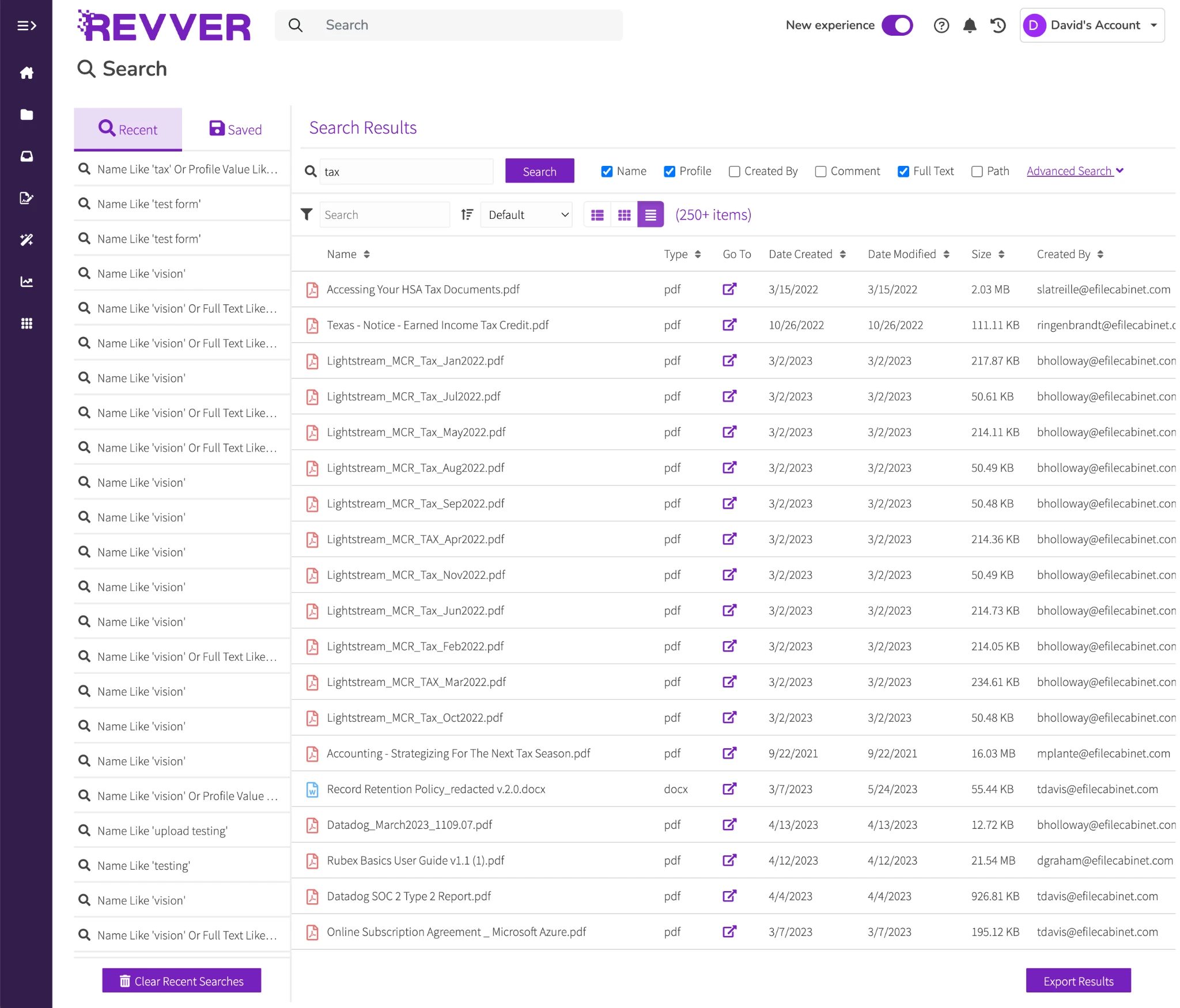
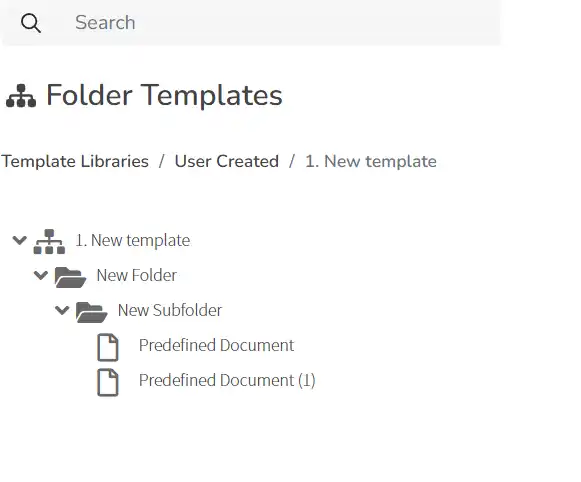
Client folder templates
Click to expand product screen ↓
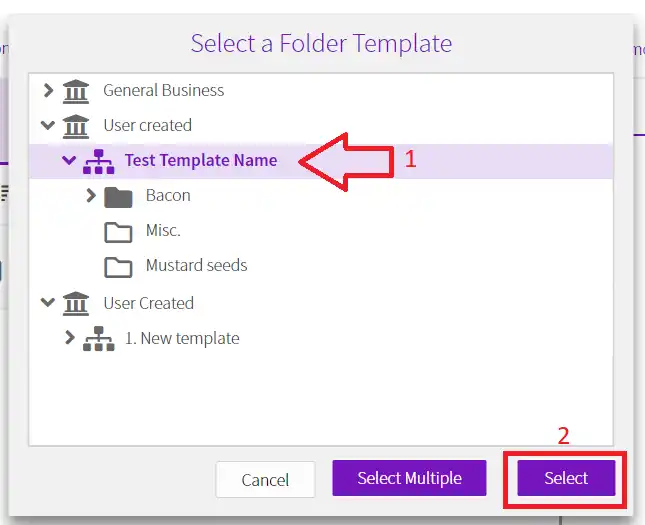
A consistent structure for every client.
Revver product view
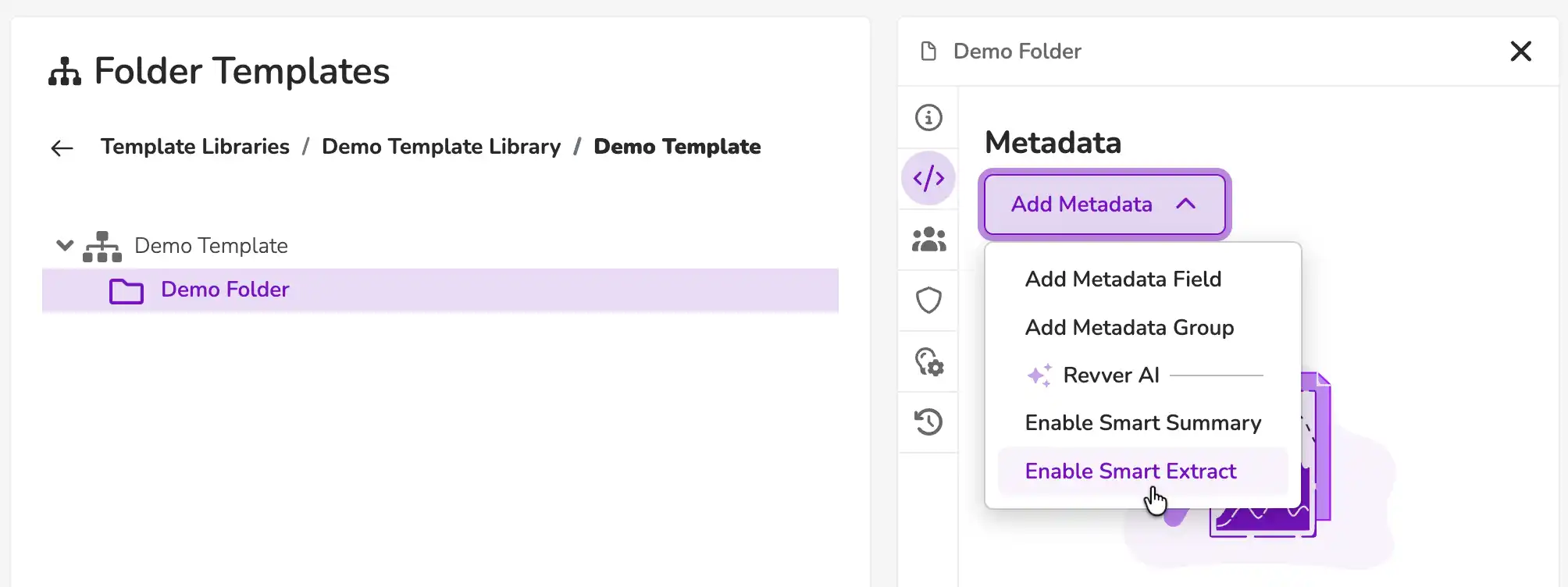
Smart Extract AI
Click to expand product screen ↓
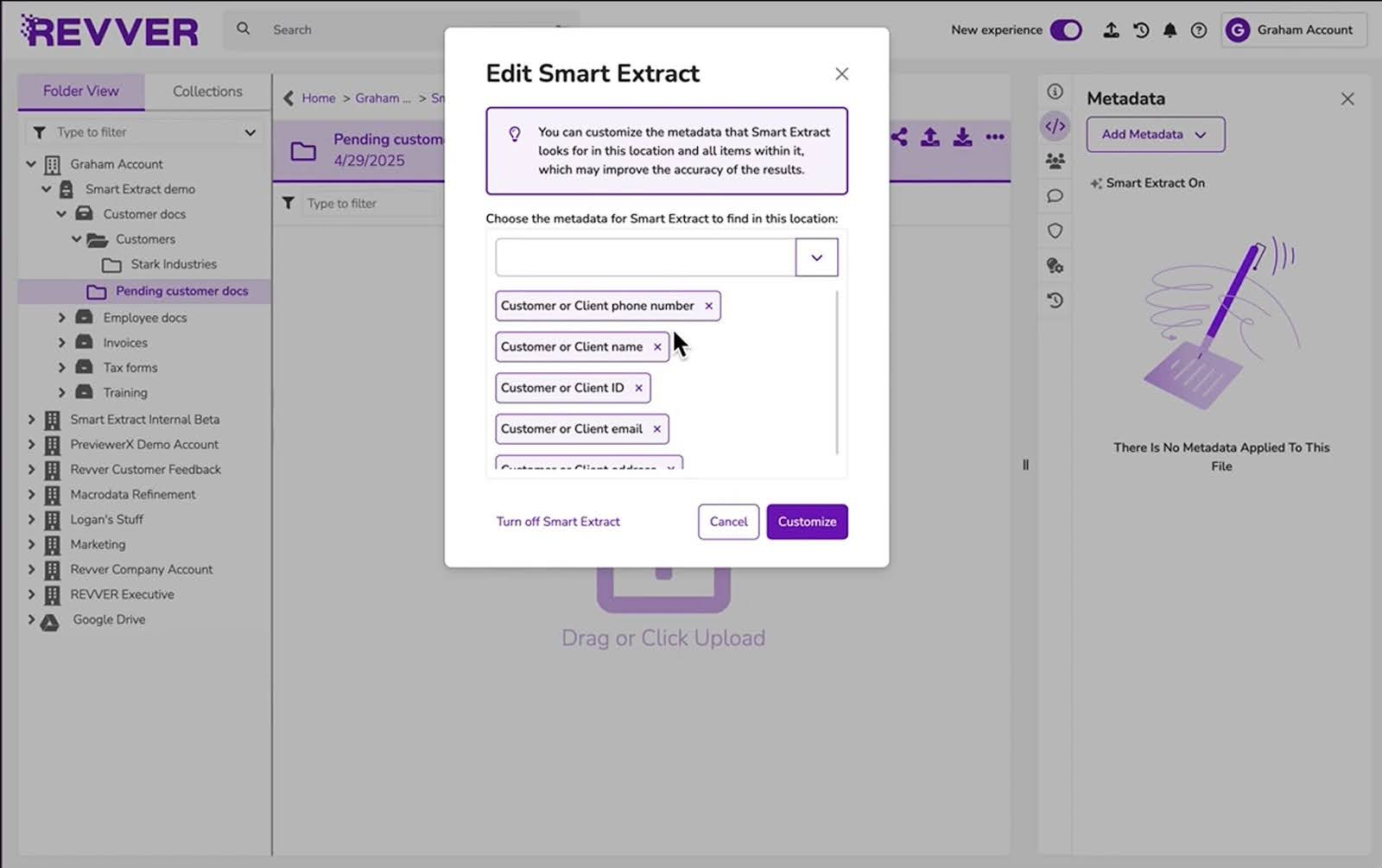
Choose the client information your team needs.
Revver product view
Advanced document search
Click to expand product screen ↓
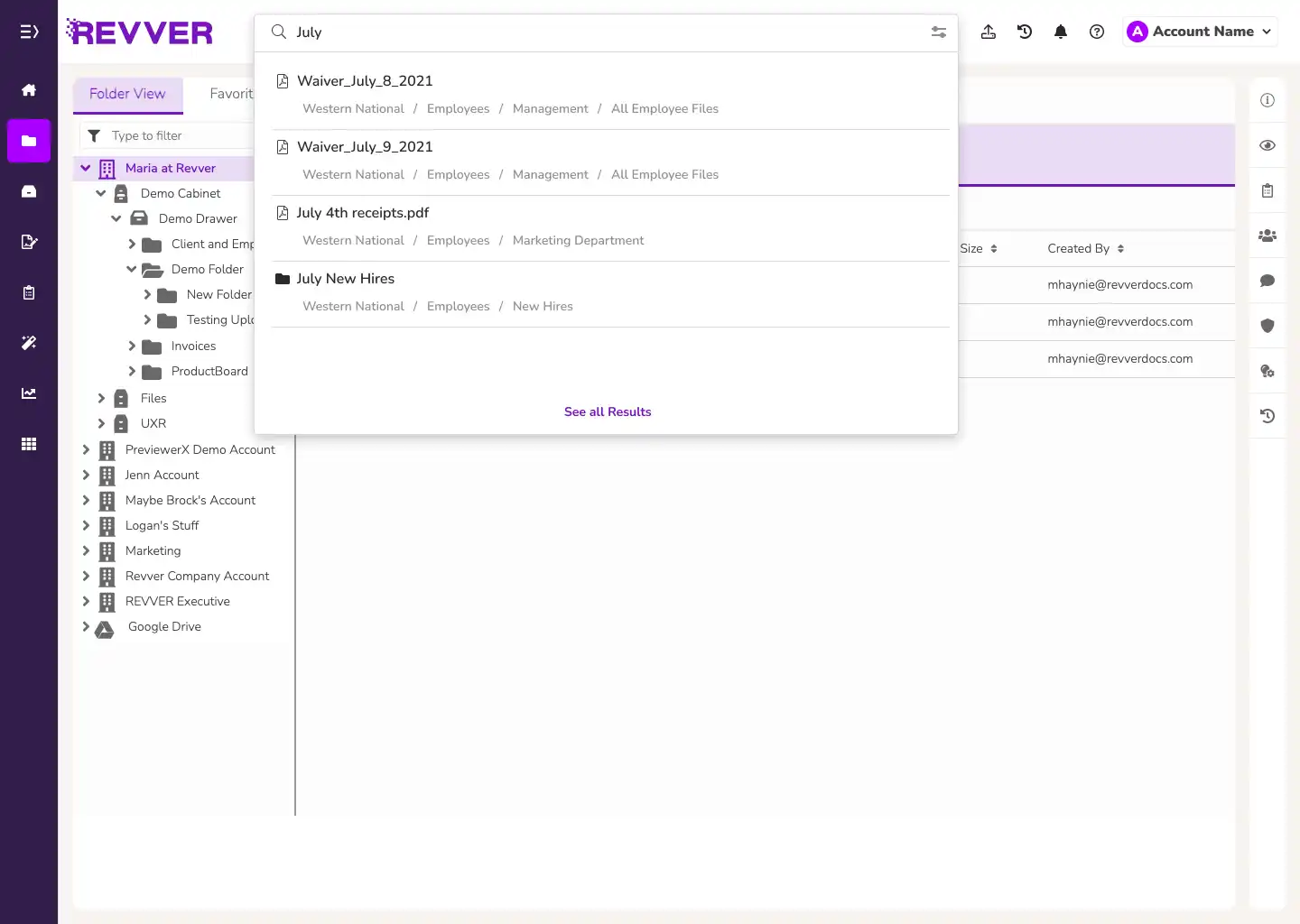
Search document text and notes.
Revver product view
HELPING THOUSANDS OF INSURANCE BUSINESSES PUT CLIENTS FIRST
Insurance agencies
Brokerages
Carriers
Financial advisors


CUSTOMER TESTIMONIAL Winward Financial Group
See how secure document access improves client service.
FROM A DOCUMENT TO A BETTER CLIENT EXPERIENCE
Support every stage of the insurance relationship.
Revver gives insurance agencies one secure system to manage all documentation including policy, claims, onboarding, renewal, and client documents while automating the workflows that sustain them.
CLIENT ONBOARDING
Start the relationship with a complete client file.
A new client shouldn’t have to navigate a maze of document requests. Give them a secure way to send information, then bring applications, identification, and other files into a consistent structure your team can use.
Typical records: Applications, identification, intake forms, and signed client documents.
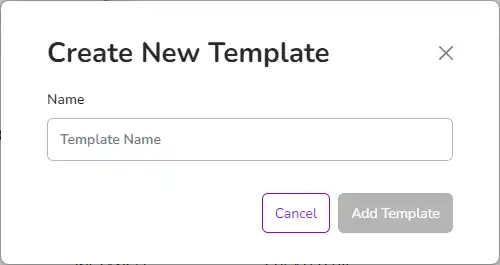
- Create client folders from a template with the appropriate access.
- Collect documents through secure links, and identify what still needs attention.
- Route completed files for review and required signatures.
Click to expand product screen ↓
POLICY DOCUMENT MANAGEMENT
Answer questions now. Skip the callback.
When a client is on the phone, every extra search costs time. Give agents access to the policy, endorsement, or correspondence they need during the conversation. Agents can also pull up records from a laptop on the road or while meeting with a client.
Typical records: Policies, endorsements, coverage documents, and client correspondence.
- Search document text, notes, and the client policy details your team uses.
- Access the right client records securely at your desk, on the road, or on site.
- Maintain version history as documents are reviewed and updated.
Click to expand product screen ↓
RENEWALS & BILLING
Turn routine reminders into more room to grow.
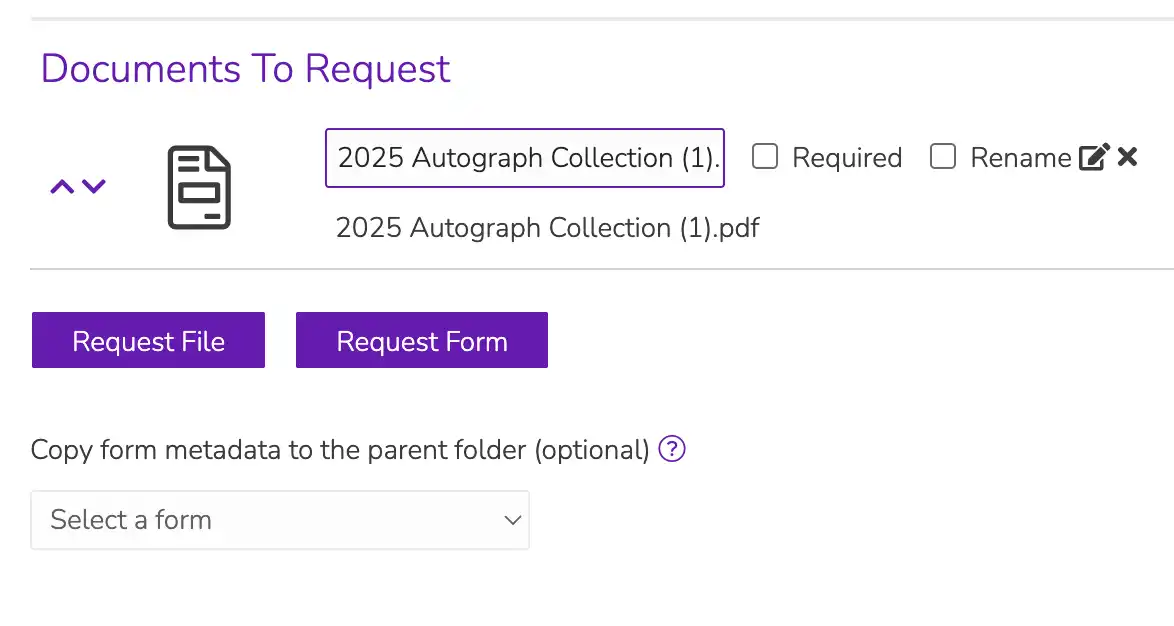
Keep renewal and billing follow-up moving with automated reminders and a digital packet. Your clients receive the information they need, and your agents spend less time assembling documents and chasing routine tasks.
Typical records: Renewal forms, billing notices, current policy documents, and signed acknowledgments.
- Schedule renewal and billing reminders around your follow-up process.
- Include the associated digital packet so clients have the right documents in hand.
- Use a consistent workflow to track the next review or action.
Click to expand product screen ↓
CLAIMS DOCUMENT WORKFLOWS
Give every claims handoff ample context.
Claims and operations teams need complete documentation as work moves from intake to review and resolution. Revver organizes claim forms and policy records, then routes those documents to the people responsible for the next step.
Typical records: Claim forms, supporting evidence, policy records, and correspondence.
- Bring incoming documents into a consistent client or claim file.
- Extract selected details and review information before downstream use.
- Share files with authorized colleagues and retain the activity history.
Click to expand product screen ↓
AGENT ONBOARDING & COLLABORATION
Help every agent work from the same playbook.
As your team grows, a consistent approach to client files makes collaboration easier. Give agents a familiar folder structure, the access their role requires, and a shared way to manage document tasks across accounts and policy types.
Typical records: Client folders, product-specific documents, shared account records, and agent onboarding files.
- Apply folder templates instead of asking every agent to build their own.
- Keep sensitive documents accessible to the appropriate team members.
- Connect document access with your CRM through supported integrations.
Click to expand product screen ↓
REVVER CAPABILITIES
One document management system for insurance files and workflows.
01 / CAPTURE
Turn incoming documents into usable data
Collect files from scanners, emails, forms, and uploads. Smart Extract AI pulls selected information from documents so your team can organize client records and trigger the next workflow step with less manual data entry.
02 / FIND
Answer clients while you have them on the phone
Search document text, notes, and client details to find the right record during a conversation. Answer questions without a document hunt and avoid callbacks, whether you’re at your desk or using your laptop with a client.
03 / AUTOMATE
Automate the follow-up that keeps business moving
Schedule renewal and billing reminders with the associated digital packets. Use no-code workflows to route documents, notify your team, and collect signatures. That frees insurance teams to focus on service and growth.
04 / ORGANIZE
Make every client file familiar
Apply folder templates across client accounts, product lines, and years. Standardized structures help agents file documents consistently and find what a colleague needs, even when several people service the same account.
05 / COLLABORATE
Make sending documents easier for clients
Use secure upload links and a branded client portal to collect and share documents. Clients get a safe place to send information, and your team can store it with the right account instead of tracking scattered email attachments.
06 / PROTECT
Keep sensitive information under control
Set file and folder permissions, maintain document history, and apply retention policies. Encryption and audit trails support your team’s security and compliance processes as client files move through their lifecycle.
CONNECTED TO YOUR EXISTING INSURANCE SYSTEMS
Document management alongside your AMS and CRM.
Revver complements your CRM or agency management system by managing the documents and document-driven workflows around it. Connect insurance file management with the applications your teams use for relationships, policy administration, and core operations.

Your Systems
Keep documents connected to the tools your team uses.
Connect with Salesforce, Microsoft 365, Google Workspace, and other applications through connectors and APIs.
INSURANCE PROCESS AUTOMATION GUIDE
Put more of your team’s time back into growing the business.
See how insurance teams can reduce routine document work, improve client follow-up, and create more capacity for service and new business.

CLIENT TRUST STARTS WITH CONTROL
Support insurance compliance with clear document controls.
Insurance compliance document management depends on well-defined user rights for sensitive records. Revver brings access permissions, secure sharing, document history, and retention together to support your organization’s policies and audit processes.
01
Give the right people access
Set permissions for files and folders so service, claims, and operations teams can work with the information their role requires.
02
Protect information as it moves
Use encryption and secure sharing to support collaboration while maintaining control over sensitive client documents.
03
Keep the history behind the file
Use audit trails, version history, and retention controls to support internal reviews and document policies.
Recognized for excellence. Built on trust.
Audits & certifications


Ratings & awards


INSURANCE CUSTOMER SUCCESS
Real teams. More time for clients.

Dane Kissack
South Dakota agent
DANE KISSACK · FARM BUREAU AGENT
Turn hours of paperwork into minutes.
Dane Kissack’s South Dakota Farm Bureau office moved from outdated, paper-heavy files to a shared digital system. Master search changed how the team retrieves records, while drag-and-drop organization helped even technology-hesitant staff work confidently with client files.
Master search
Retrieve records from the digital file system
Drag-and-drop filing
A simpler daily process for staff
Farm Bureau Financial Services office case study

NEW YORK LIFE INSURANCE COMPANY
CONNECTED RECORDS. PREPARED AGENTS.
Client records wherever agents work.
New York Life’s agents access Revver documents inside Sales Central, its customized Salesforce CRM. Each account shows its associated documents, supporting accurate filing and controlled access. Agents can typically provision their own account and start the same day, with secure file access in the office and on the road.
Inside Sales Central
Documents tied to the client account
Same-day onboarding
Agents can typically start the day they sign up
New York Life Insurance Company case study
INSURANCE DOCUMENT MANAGEMENT QUESTIONS
Answers for insurance and operations teams.
A closer look at the client files, workflows, and system connections that matter to your business.

What is insurance document management software?
Insurance document management software helps agencies, brokerages, carriers, and advisory teams capture, organize, search, share, and manage insurance records. Revver combines a central document repository with AI extraction, permissions, and workflow automation to support onboarding, policy administration, renewals, claims documentation, and compliance processes.
Is Revver an insurance agency management system?
No. Revver is insurance document management software. It complements your insurance agency management system (AMS) or CRM by organizing files, controlling access, and automating document-driven workflows around your existing systems. Your AMS or CRM continues to handle the insurance operations and relationship data it manages today.
How does Revver work with our CRM or agency management system?
Revver complements your CRM or agency management system by managing the documents and document-driven workflows around it. APIs and supported connectors, including Salesforce document access, connect files with your existing processes. Your specific AMS, required fields, and document flows determine the integration approach. Explore Revver integrations ↗
Can clients send documents securely?
Yes. Secure upload links give clients a way to send files, and a branded client portal supports document sharing and collaboration. Your team can organize incoming files in the appropriate account and control who has access. Learn about secure upload links ↗
Can we search scanned policies and supporting documents?
Revver supports full-text and metadata search. OCR makes text in scanned files searchable, while metadata adds useful fields such as client name, policy identifier, or document type. Search results depend on scan quality and how your documents are indexed. See advanced search ↗
How can AI reduce manual document work?
Smart Extract AI captures selected information from incoming documents and makes it available as metadata for organization, search, and workflows. Start with the fields your process needs, then define review steps before extracted information is used in decisions or passed to another system. Explore Smart Extract AI ↗
How does Revver support security and compliance processes?
Revver provides encryption, access permissions, audit trails, and retention controls. These tools help your team enforce its document policies and prepare records for review. Configure the controls around your organization’s requirements, and review Revver’s security documentation with your team. Review security and governance ↗
How does Revver help insurance teams manage retention and audit requirements?
Revver provides retention controls, access permissions, audit trails, and version history. Teams can apply document policies, preserve activity history, and retrieve records for an audit or internal review. Set retention periods and review responsibilities around your organization’s requirements and the types of records it manages. Explore retention and governance controls ↗
Can agents access client records away from the office?
Yes. Authorized agents can retrieve client documents from a laptop while on the road or on site with a client. Access to the right policy records and supporting files helps agents answer questions during the conversation and avoid unnecessary callbacks. See how New York Life agents use Revver ↗
Can multiple agents work with the same client file?
Yes. Authorized agents are able to access a centralized client file while keeping documents organized by product or policy type. Shared folder standards, permissions, and document history help colleagues collaborate without depending on one person’s inbox or local drive.
LET’S START WITH YOUR CLIENT WORK
Give your team more time for the people you serve.
Starts with a discovery call. Bring your document challenges and priorities.
- No Credit Card Required
- HRIS & ATS Compatible
- Cancel Anytime